> ## Documentation Index
> Fetch the complete documentation index at: https://docs.aisync.link/llms.txt
> Use this file to discover all available pages before exploring further.
# Duplicate
> Duplicate existing AI agents to quickly create new agents with similar configurations, saving time and ensuring consistency across your agent setup
## Duplicate Agent Functionality
### Access Duplicate Feature
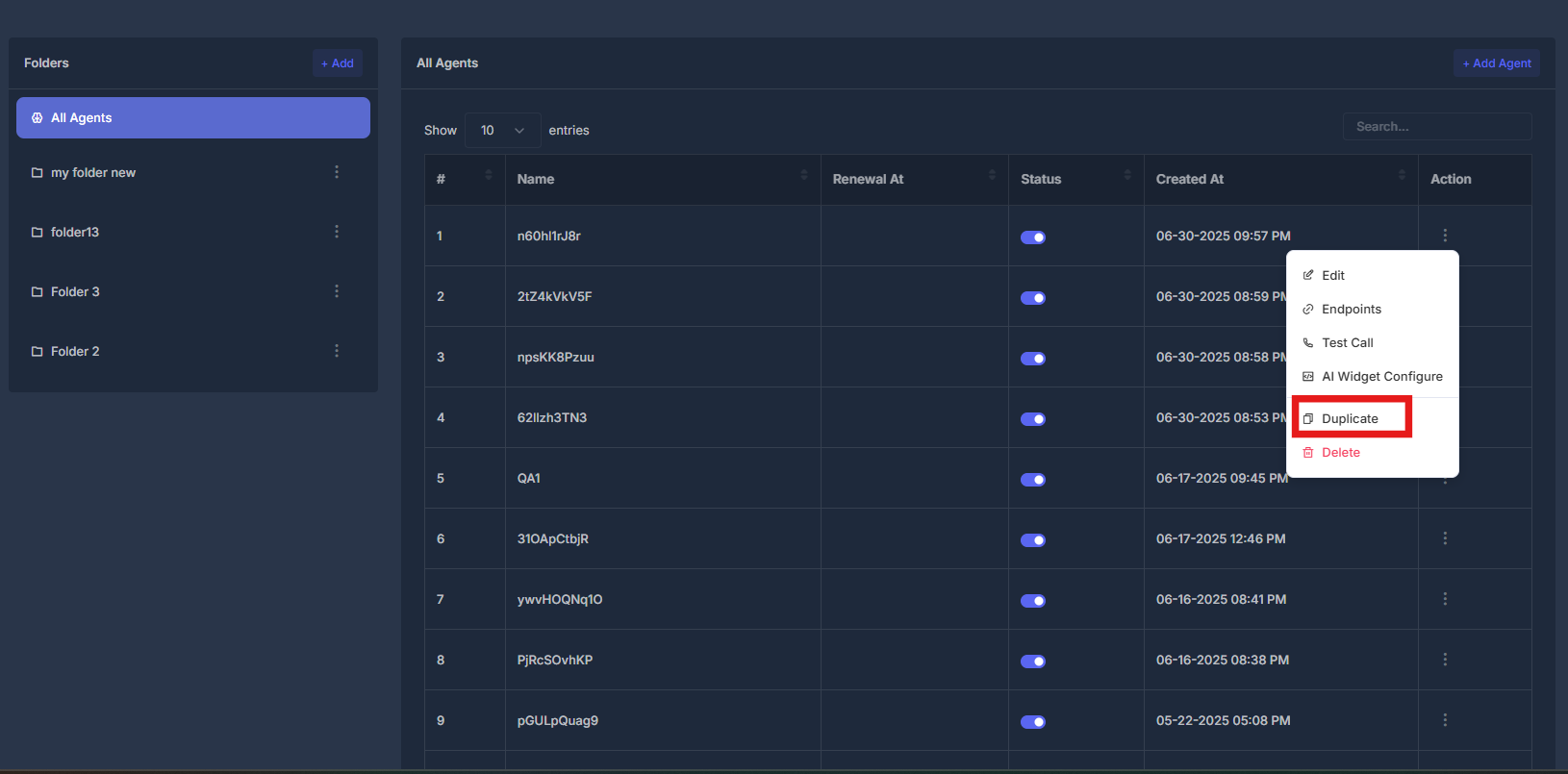
* **Agent Actions Menu** - Click the action button (⋮) next to any agent
* **Select Duplicate** - Choose "Duplicate" from the dropdown menu
* **Clone Process** - System creates exact copy of selected agent
* **New Agent Creation** - Duplicated agent appears in agent list with new identifier
 ## Quick Actions
Duplicate existing agent configuration quickly
Modify duplicated agent settings as needed
Verify duplicated agent functionality
Organize duplicated agents in appropriate folders
## Quick Actions
Duplicate existing agent configuration quickly
Modify duplicated agent settings as needed
Verify duplicated agent functionality
Organize duplicated agents in appropriate folders