> ## Documentation Index
> Fetch the complete documentation index at: https://docs.aisync.link/llms.txt
> Use this file to discover all available pages before exploring further.
# Voice & Language
#### 🎙️ User Guide
The **Voice & Language** tab is where you choose **how your agent thinks (in text)**, **how it sounds**, **which language it uses**, and **optional background sound on calls**.
Small **information icons** next to labels give short hints when you point at them.
 ## 🗂️ Opening the tab
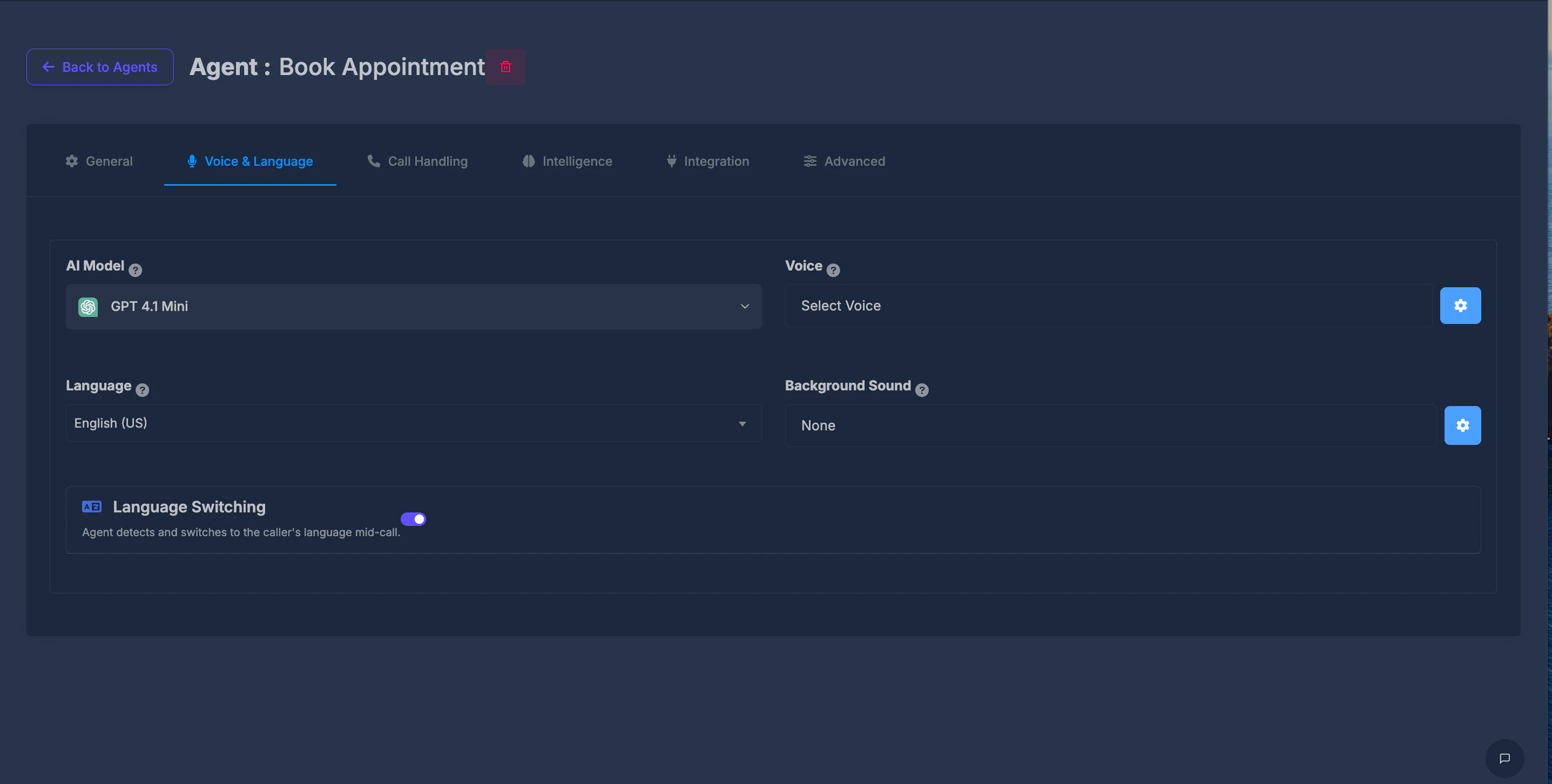
Select **Voice & Language** in the row of tabs at the top of the agent settings. The screen is laid out in two columns: model and voice on the first row; language and background sound on the second.
## 🤖 AI Model
**What it does**\
This is the “brain” behind your agent’s replies. Different options can differ in quality, speed, and **cost per minute** (shown next to each name).
**How to use it**\
Open the list, then pick one option. The top of the box updates to show your choice (including a small brand-style icon where shown). Your selection is saved when you pick it.
## 🗂️ Opening the tab
Select **Voice & Language** in the row of tabs at the top of the agent settings. The screen is laid out in two columns: model and voice on the first row; language and background sound on the second.
## 🤖 AI Model
**What it does**\
This is the “brain” behind your agent’s replies. Different options can differ in quality, speed, and **cost per minute** (shown next to each name).
**How to use it**\
Open the list, then pick one option. The top of the box updates to show your choice (including a small brand-style icon where shown). Your selection is saved when you pick it.
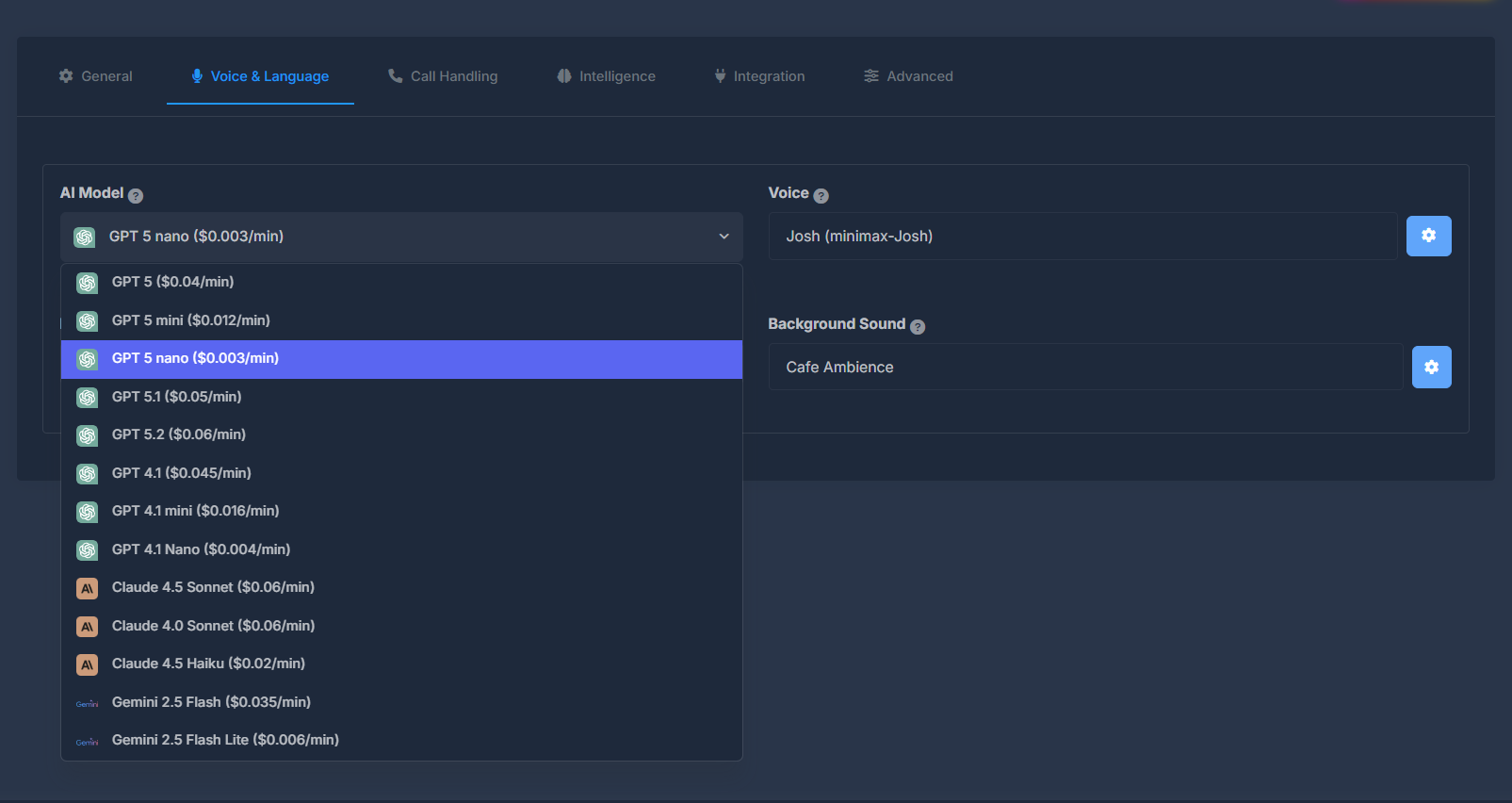 **Choices available (as shown in the product)**\
Each line includes an approximate **per-minute price** in parentheses.
* **GPT 5** (\$0.04/min)
* **GPT 5 mini** (\$0.012/min)
* **GPT 5 nano** (\$0.003/min)
* **GPT 5.1** (\$0.05/min)
* **GPT 5.2** (\$0.06/min)
* **GPT 4.1** (\$0.045/min)
* **GPT 4.1 mini** (\$0.016/min)
* **GPT 4.1 Nano** (\$0.004/min)
* **Claude 4.5 Sonnet** (\$0.06/min)
* **Claude 4.0 Sonnet** (\$0.06/min)
* **Claude 4.5 Haiku** ($0.02/min in the dropdown list; the summary line at the top may show $0.011/min for the same model depending on how the page was loaded)
* **Gemini 2.5 Flash** (\$0.035/min)
* **Gemini 2.5 Flash Lite** (\$0.006/min)
**Tooltip (information icon)**\
Explains that this controls the model powering responses, and that options differ in intelligence, speed, and cost.
## 🎤 Voice
**What it does**\
Sets the **spoken voice** your agent uses on calls—tone and style depend on the voice you pick.
**What you see on the tab**\
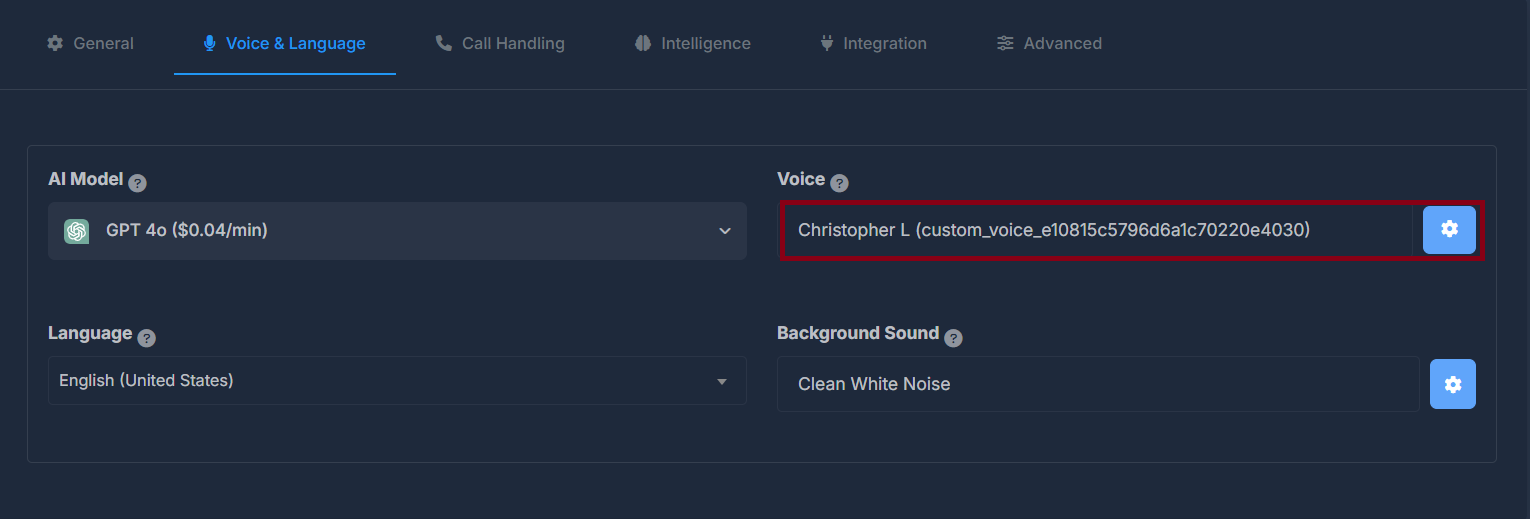
A field shows your **current voice** as a name and an **identifier** in parentheses. Next to it is a **settings (gear)** button (see [⚙️ Voice Settings window](#voice-settings-window)).
**How to pick or change a voice**\
The main catalog opens in a large **Voice List** window (scrollable). There you can hear samples, filter, search, and confirm a voice with **Use This**.
**Tooltip**\
Explains that different voices have different tones and speaking styles.
**Choices available (as shown in the product)**\
Each line includes an approximate **per-minute price** in parentheses.
* **GPT 5** (\$0.04/min)
* **GPT 5 mini** (\$0.012/min)
* **GPT 5 nano** (\$0.003/min)
* **GPT 5.1** (\$0.05/min)
* **GPT 5.2** (\$0.06/min)
* **GPT 4.1** (\$0.045/min)
* **GPT 4.1 mini** (\$0.016/min)
* **GPT 4.1 Nano** (\$0.004/min)
* **Claude 4.5 Sonnet** (\$0.06/min)
* **Claude 4.0 Sonnet** (\$0.06/min)
* **Claude 4.5 Haiku** ($0.02/min in the dropdown list; the summary line at the top may show $0.011/min for the same model depending on how the page was loaded)
* **Gemini 2.5 Flash** (\$0.035/min)
* **Gemini 2.5 Flash Lite** (\$0.006/min)
**Tooltip (information icon)**\
Explains that this controls the model powering responses, and that options differ in intelligence, speed, and cost.
## 🎤 Voice
**What it does**\
Sets the **spoken voice** your agent uses on calls—tone and style depend on the voice you pick.
**What you see on the tab**\
A field shows your **current voice** as a name and an **identifier** in parentheses. Next to it is a **settings (gear)** button (see [⚙️ Voice Settings window](#voice-settings-window)).
**How to pick or change a voice**\
The main catalog opens in a large **Voice List** window (scrollable). There you can hear samples, filter, search, and confirm a voice with **Use This**.
**Tooltip**\
Explains that different voices have different tones and speaking styles.
 ## 📋 Voice List window (voice catalog)
This window helps you browse all voices that are **available for your agent**.
## 📋 Voice List window (voice catalog)
This window helps you browse all voices that are **available for your agent**.
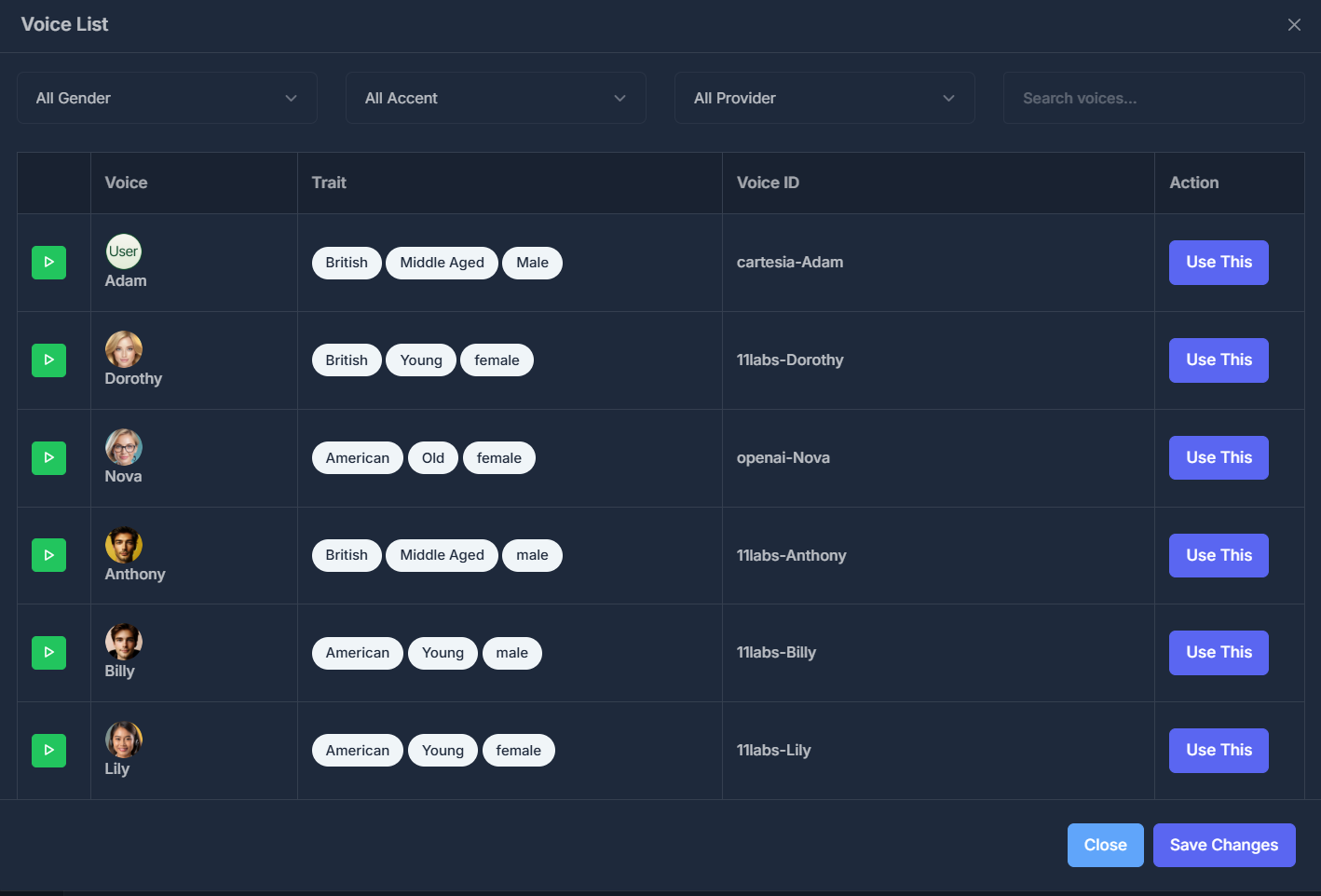 **Filters (top row)**
* **Gender:** All, Male, or Female
* **Accent:** All, American, or British
* **Provider:** All, Eleven Labs, Deepgram, Open AI, or Custom Voice
* **Search:** Type to narrow the list by text you see in the table
**Table columns**
* **Play:** Hear a short sample (play / pause behavior).
* **Voice:** Picture and **display name**.
* **Trait:** Badges for **accent**, **age**, and **gender** when that information exists.
* **Voice ID:** The label used to identify that voice in the system.
* **Action:** **Use This** — selects that voice for your agent and applies it in line with the rest of the page.
**Footer**
* **Close** — exits without applying a new voice via **Use This**.
* **Save Changes** — appears in the footer; the main way to apply a voice is **Use This** on a row.
**Filters (top row)**
* **Gender:** All, Male, or Female
* **Accent:** All, American, or British
* **Provider:** All, Eleven Labs, Deepgram, Open AI, or Custom Voice
* **Search:** Type to narrow the list by text you see in the table
**Table columns**
* **Play:** Hear a short sample (play / pause behavior).
* **Voice:** Picture and **display name**.
* **Trait:** Badges for **accent**, **age**, and **gender** when that information exists.
* **Voice ID:** The label used to identify that voice in the system.
* **Action:** **Use This** — selects that voice for your agent and applies it in line with the rest of the page.
**Footer**
* **Close** — exits without applying a new voice via **Use This**.
* **Save Changes** — appears in the footer; the main way to apply a voice is **Use This** on a row.
⚙️ Voice Settings window (gear button next to Voice)
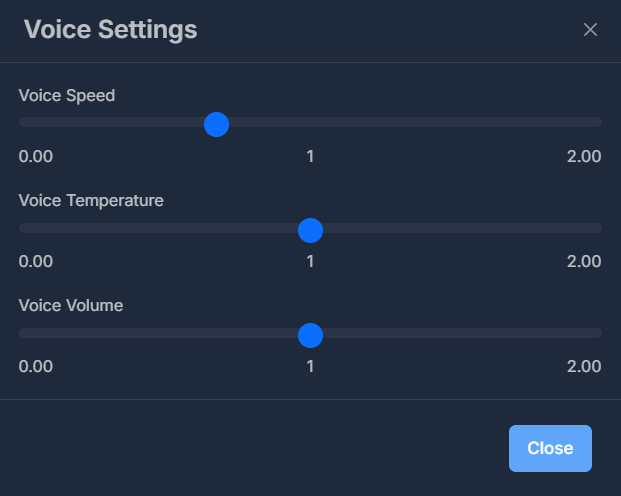
**What it does**\
Fine-tunes **how the agent’s voice behaves**, separate from *which* voice you chose.
 **Fields inside**
1. **Voice Speed**\
A draggable control from slow to fast (ends labeled roughly **0.00** to **2.00**).\
When you finish adjusting (release the control), the new speed is saved. The number in the middle updates as you move it.
2. **Voice Temperature**\
A draggable control on the same kind of scale.\
This affects how **expressive or varied** the speech feels (higher often means more variation).\
When you release the control, the value is saved.
3. **Voice Volume**\
A draggable control for how **loud** the agent’s voice is (same scale style).\
When you release the control, the value is saved.
**Footer**\
**Close** — closes the window. Changes to the three controls are applied when you **release** each control, not from a separate Save button inside this window (there is no active Save button for these three in the footer).
**Defaults**\
If no value was stored before, speed, temperature, and volume each start around **1**.
## 🌐 Language
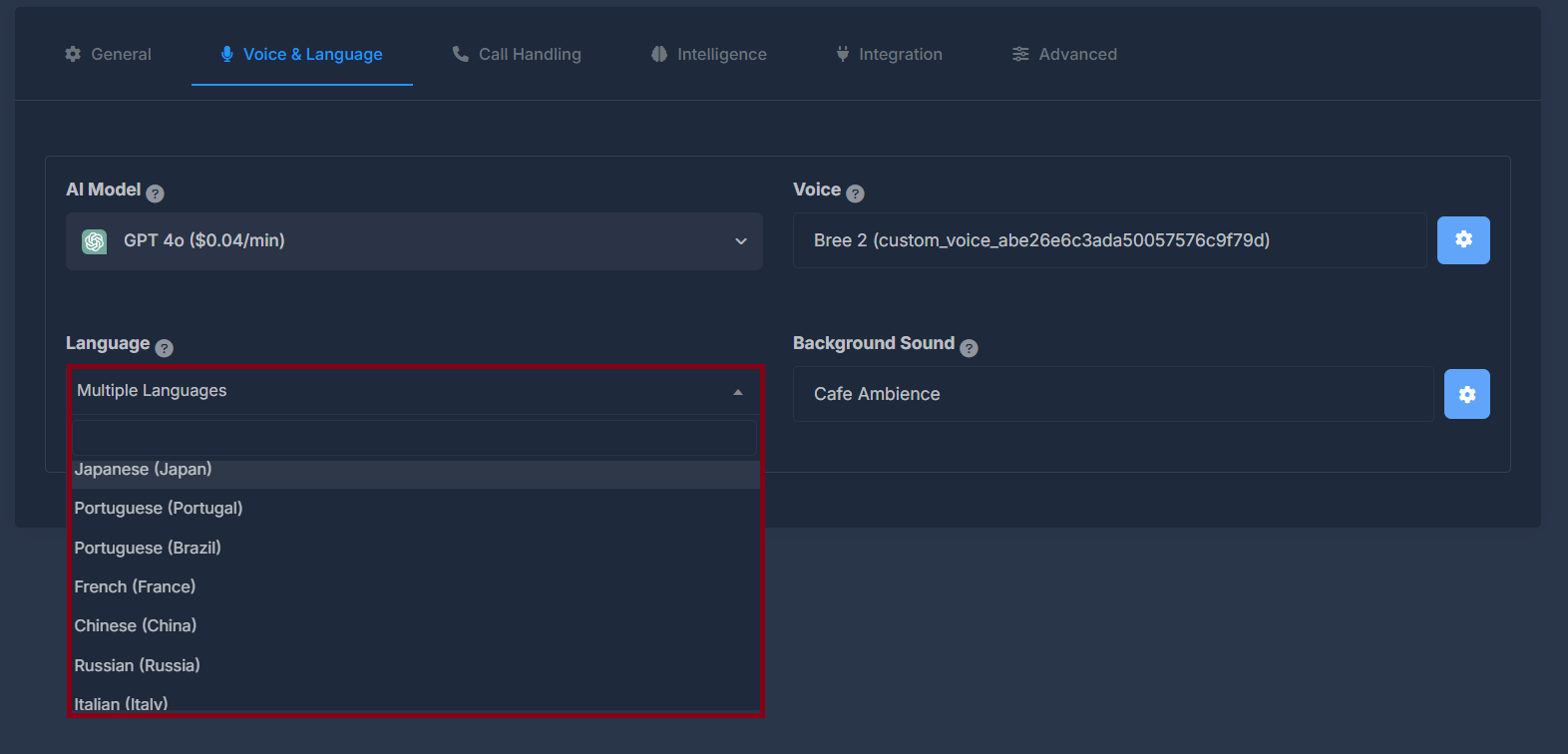
**What it does**\
Sets the **main language** for the agent. This affects **understanding what callers say** and **how replies are formed**.
**How to use it**\
Open the list and choose one language. When your choice changes, the system tries to save it right away.
**If nothing is selected**\
If the list is left on **Select Language**, the product may warn you to choose a language first and will not treat that as a valid save.
**Fields inside**
1. **Voice Speed**\
A draggable control from slow to fast (ends labeled roughly **0.00** to **2.00**).\
When you finish adjusting (release the control), the new speed is saved. The number in the middle updates as you move it.
2. **Voice Temperature**\
A draggable control on the same kind of scale.\
This affects how **expressive or varied** the speech feels (higher often means more variation).\
When you release the control, the value is saved.
3. **Voice Volume**\
A draggable control for how **loud** the agent’s voice is (same scale style).\
When you release the control, the value is saved.
**Footer**\
**Close** — closes the window. Changes to the three controls are applied when you **release** each control, not from a separate Save button inside this window (there is no active Save button for these three in the footer).
**Defaults**\
If no value was stored before, speed, temperature, and volume each start around **1**.
## 🌐 Language
**What it does**\
Sets the **main language** for the agent. This affects **understanding what callers say** and **how replies are formed**.
**How to use it**\
Open the list and choose one language. When your choice changes, the system tries to save it right away.
**If nothing is selected**\
If the list is left on **Select Language**, the product may warn you to choose a language first and will not treat that as a valid save.
 **Choices in the list**
* Select Language (empty)
* English (United States)
* English (India)
* English (United Kingdom)
* German (Germany)
* Spanish (Spain)
* Spanish (Latin America)
* Hindi (India)
* Japanese (Japan)
* Portuguese (Portugal)
* Portuguese (Brazil)
* French (France)
* Chinese (China)
* Russian (Russia)
* Italian (Italy)
* Korean (South Korea)
* Dutch (Netherlands)
* Polish (Poland)
* Turkish (Turkey)
* Vietnamese (Vietnam)
* **Multiple Languages** — use when the agent should work across more than one language rather than a single fixed one
**Tooltip**\
States that this affects both recognition of speech and generation of responses.
## 🎵 Background Sound
**What it does**\
Adds a **soft ambient sound** behind the call so the call can feel more natural or help mask noise.
**Choices in the list**
* Select Language (empty)
* English (United States)
* English (India)
* English (United Kingdom)
* German (Germany)
* Spanish (Spain)
* Spanish (Latin America)
* Hindi (India)
* Japanese (Japan)
* Portuguese (Portugal)
* Portuguese (Brazil)
* French (France)
* Chinese (China)
* Russian (Russia)
* Italian (Italy)
* Korean (South Korea)
* Dutch (Netherlands)
* Polish (Poland)
* Turkish (Turkey)
* Vietnamese (Vietnam)
* **Multiple Languages** — use when the agent should work across more than one language rather than a single fixed one
**Tooltip**\
States that this affects both recognition of speech and generation of responses.
## 🎵 Background Sound
**What it does**\
Adds a **soft ambient sound** behind the call so the call can feel more natural or help mask noise.
 **Main list on the tab**
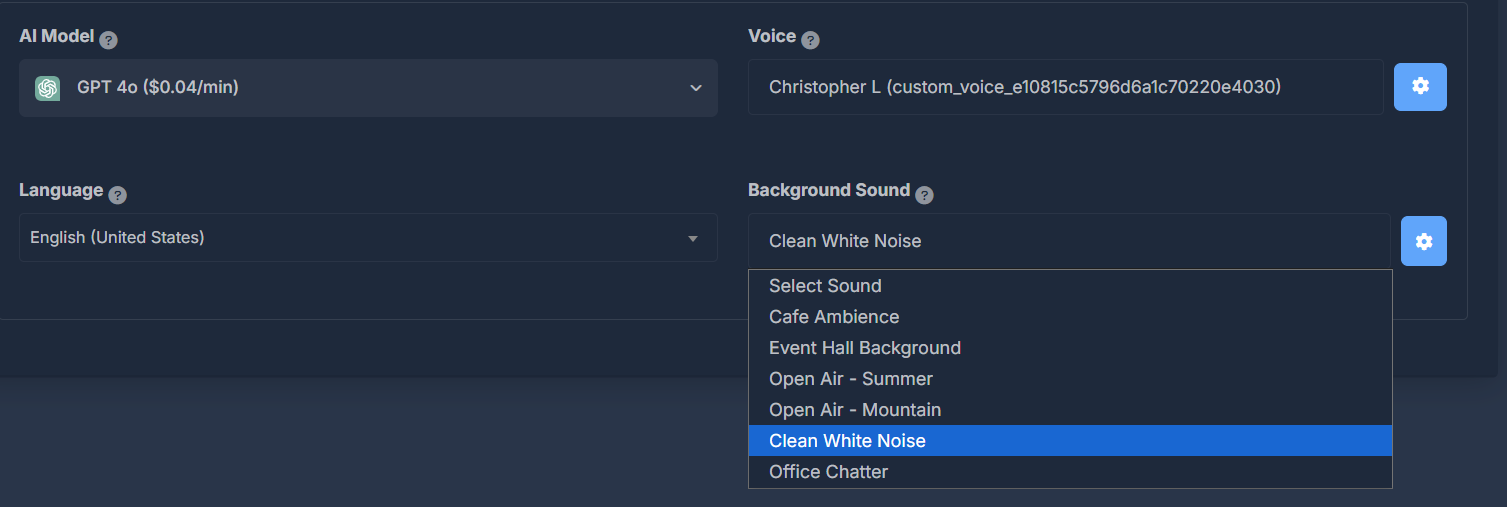
* **Select Sound** — means **no** background sound (same as turning it off).
* **Cafe Ambience**
* **Event Hall Background**
* **Open Air - Summer**
* **Open Air - Mountain**
* **Clean White Noise**
* **Office Chatter**
When you change this list (after the page has finished loading), your choice is saved automatically.
**Gear button (next to Background Sound)**\
Opens **Background Sound Volume** (see [🔊 Background Sound Volume window](#background-sound-volume-window)).
**Tooltip**\
Explains using ambient sound for a more professional feel or to mask background noise.
**Main list on the tab**
* **Select Sound** — means **no** background sound (same as turning it off).
* **Cafe Ambience**
* **Event Hall Background**
* **Open Air - Summer**
* **Open Air - Mountain**
* **Clean White Noise**
* **Office Chatter**
When you change this list (after the page has finished loading), your choice is saved automatically.
**Gear button (next to Background Sound)**\
Opens **Background Sound Volume** (see [🔊 Background Sound Volume window](#background-sound-volume-window)).
**Tooltip**\
Explains using ambient sound for a more professional feel or to mask background noise.
🔊 Background Sound Volume window (gear next to Background Sound)
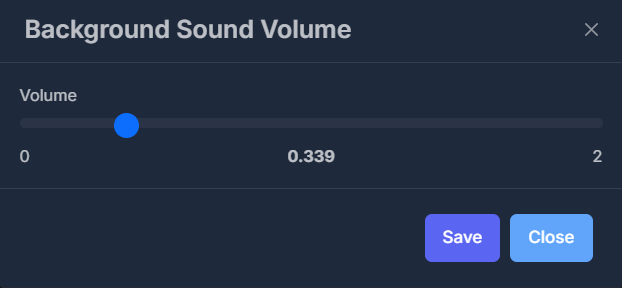
**What it does**\
Sets how **strong** the background sound is—not the agent’s voice volume (that is under **Voice Settings**).
 **Control**\
A **Volume** bar from **0** to **2**, with the current level shown in the middle as you move it.
**Save**\
Press **Save** to store the volume. You must have a **real** background sound selected (not “Select Sound” / off); otherwise you may get a message asking you to pick a background sound first.
**Close**\
Closes the window without using **Save** for that visit (your last saved volume remains whatever was saved successfully before).
**Control**\
A **Volume** bar from **0** to **2**, with the current level shown in the middle as you move it.
**Save**\
Press **Save** to store the volume. You must have a **real** background sound selected (not “Select Sound” / off); otherwise you may get a message asking you to pick a background sound first.
**Close**\
Closes the window without using **Save** for that visit (your last saved volume remains whatever was saved successfully before).