> ## Documentation Index
> Fetch the complete documentation index at: https://docs.aisync.link/llms.txt
> Use this file to discover all available pages before exploring further.
# Predictive Dialer
> The Predictive Dialer is an advanced automated calling system that enables efficient outbound calling campaigns by predicting agent availability and optimizing call connection rates.
## 📞 Add Voice Campaign
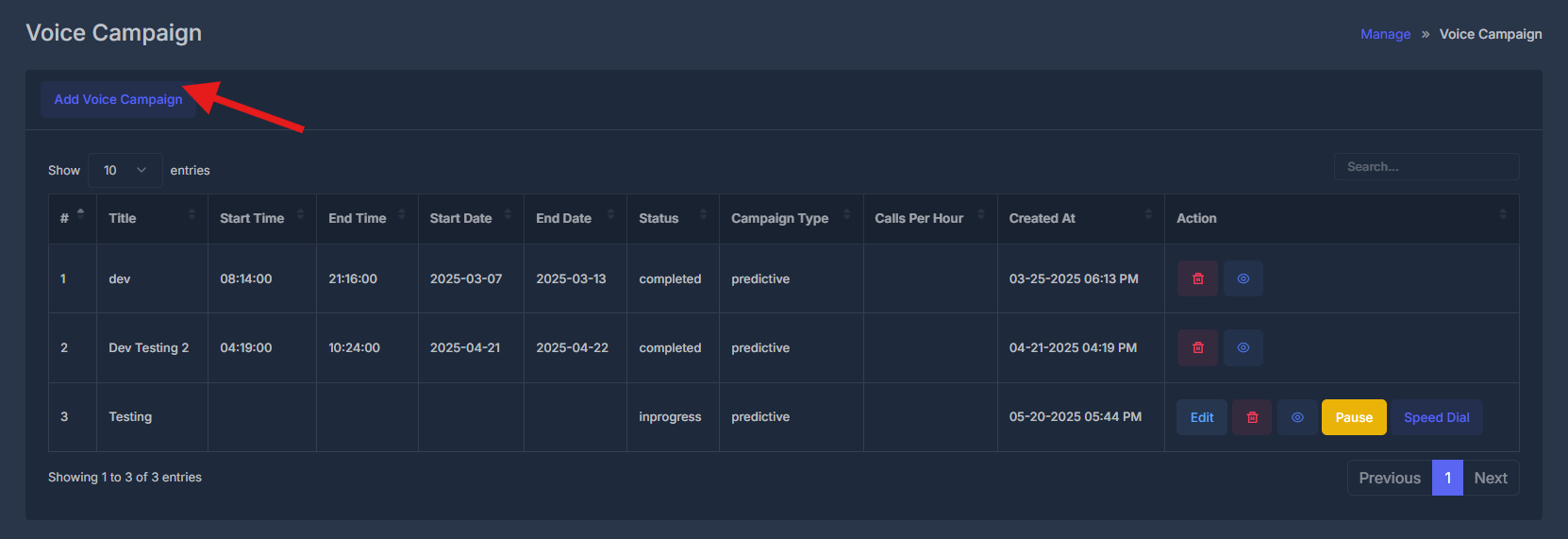
To create a new predictive dialer campaign, fill out the following form:
[https://app.aisync.link/manage/voice\_campaign](https://app.aisync.link/manage/voice_campaign)
 **Title**
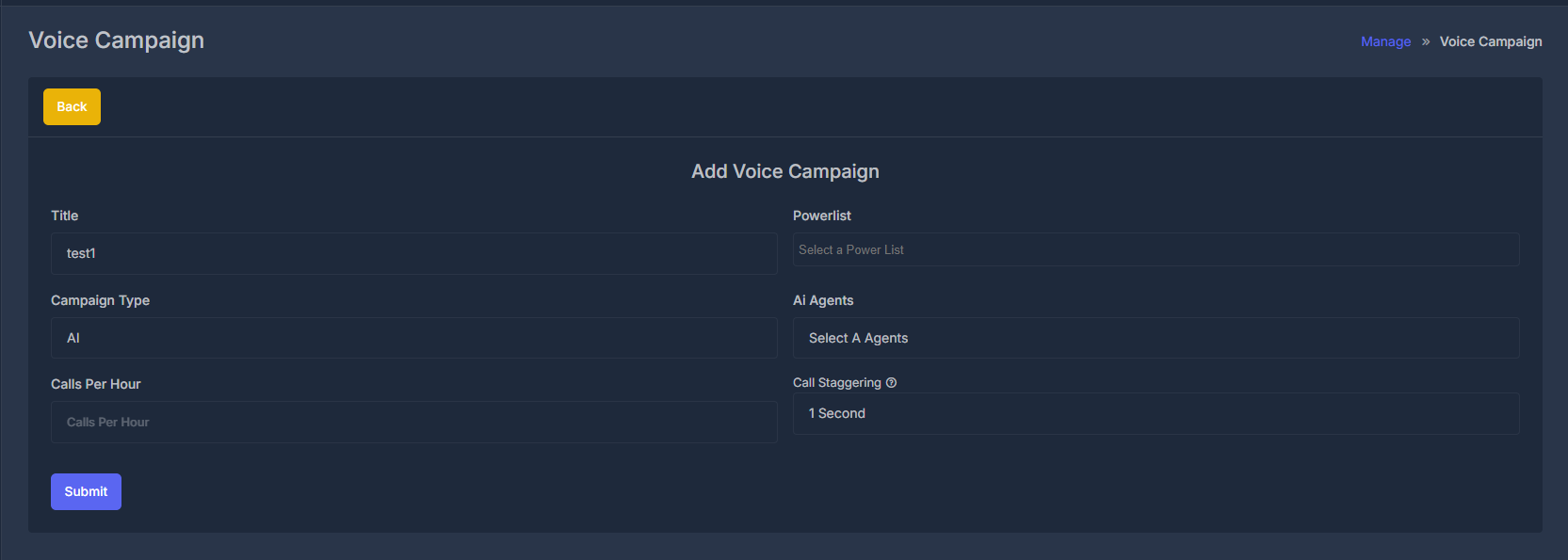
Enter a unique name for your campaign (e.g., "TEST1"). Use descriptive names to easily identify different campaigns.
**Campaign Type**
Select "Predictive" for automated dialing. This automatically calls multiple numbers and connects answered calls to available agents.
**Agent**
Choose "All" to assign all available agents, or select specific agents. The system distributes calls based on agent availability.
**Powerlist**
Select a contact list from the dropdown. Ensure your powerlist contains valid phone numbers for optimal performance.
**Call Staggering**
Set the interval between calls (default: "1 Second"). This controls call pacing - shorter intervals increase volume, longer intervals give agents more time.
**Voice Templates**
Choose a voice script from the dropdown. Templates ensure consistent messaging during calls.
Click **Submit** to create your campaign.
**Title**
Enter a unique name for your campaign (e.g., "TEST1"). Use descriptive names to easily identify different campaigns.
**Campaign Type**
Select "Predictive" for automated dialing. This automatically calls multiple numbers and connects answered calls to available agents.
**Agent**
Choose "All" to assign all available agents, or select specific agents. The system distributes calls based on agent availability.
**Powerlist**
Select a contact list from the dropdown. Ensure your powerlist contains valid phone numbers for optimal performance.
**Call Staggering**
Set the interval between calls (default: "1 Second"). This controls call pacing - shorter intervals increase volume, longer intervals give agents more time.
**Voice Templates**
Choose a voice script from the dropdown. Templates ensure consistent messaging during calls.
Click **Submit** to create your campaign.
 ## 🎯 Predictive Dialer + AI Agent Handling
### 🔄 Dialing Behavior
The system dials 5 numbers at a time using predictive dialing.
When multiple contacts pick up:
Example: 3 people answer, but only 1 human agent is available:
* ✅ 1 call → routed to available human agent
* 🤖 2 remaining calls → routed to AI agents
### 🤖⚙️ AI Agent Assignment (Per PowerList)
Each PowerList can have a dedicated AI agent assigned.
## 🎯 Predictive Dialer + AI Agent Handling
### 🔄 Dialing Behavior
The system dials 5 numbers at a time using predictive dialing.
When multiple contacts pick up:
Example: 3 people answer, but only 1 human agent is available:
* ✅ 1 call → routed to available human agent
* 🤖 2 remaining calls → routed to AI agents
### 🤖⚙️ AI Agent Assignment (Per PowerList)
Each PowerList can have a dedicated AI agent assigned.
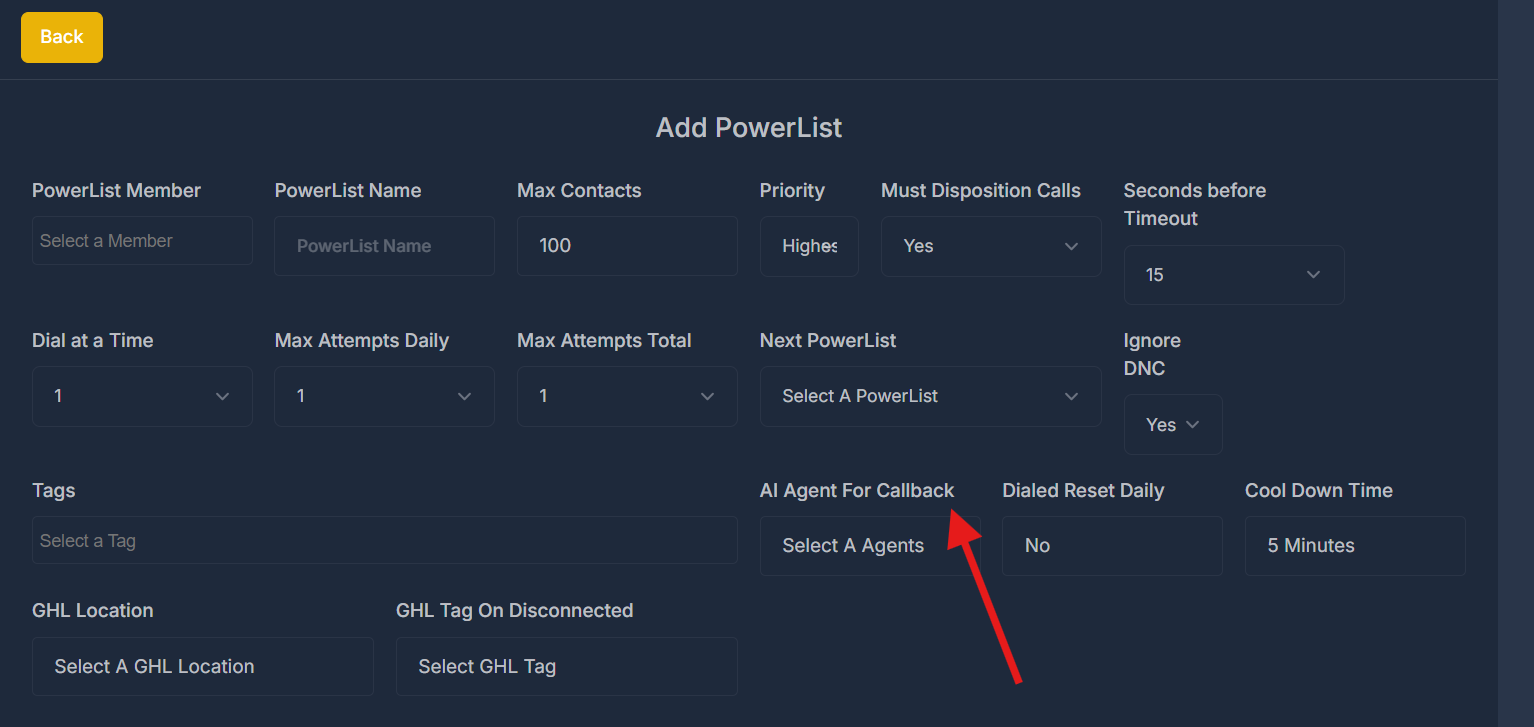 This allows dynamic customization of:
* 🤝 Tone & behavior
* 📜 Script logic
* 🎯 Lead type handling
AI agents act as backups for overflow or after-hours handling.
### 🔁 Callback Handling Logic
If a contact picks up but drops (due to no human agent available) or misses the call:
That lead is automatically flagged for callback.
The PowerList-assigned AI agent will:
* Re-engage the lead via automated callback
* Attempt to qualify, reschedule, or book appointment directly
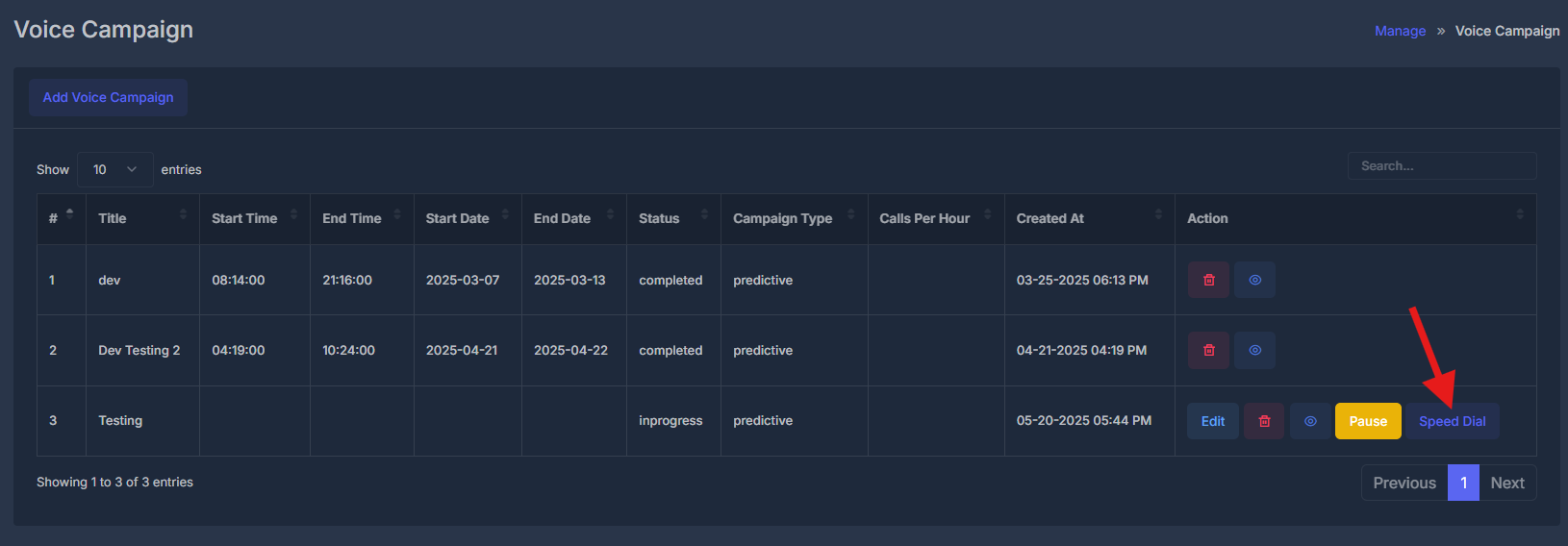
## ⚡ Speed Dial
Launch real-time dialing interface
This allows dynamic customization of:
* 🤝 Tone & behavior
* 📜 Script logic
* 🎯 Lead type handling
AI agents act as backups for overflow or after-hours handling.
### 🔁 Callback Handling Logic
If a contact picks up but drops (due to no human agent available) or misses the call:
That lead is automatically flagged for callback.
The PowerList-assigned AI agent will:
* Re-engage the lead via automated callback
* Attempt to qualify, reschedule, or book appointment directly
## ⚡ Speed Dial
Launch real-time dialing interface
 ## 🚀 Speed Dial Interface
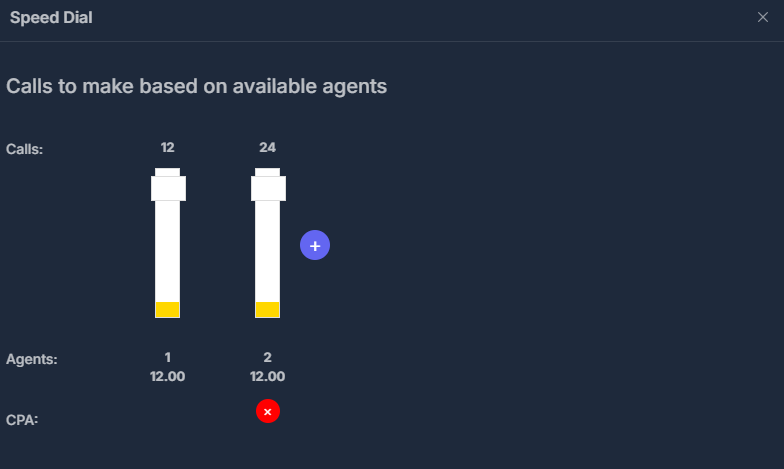
The Speed Dial modal provides real-time campaign monitoring and control with the title "Calls to make based on available agents":
### 📊 Call Volume Display
**Calls**: Shows queued call numbers with visual bar indicators
* Example: "12" and "24" calls displayed as progress bars
* Yellow sections at bottom indicate call progress/completion
* Plus (+) button to increase call volume
### 🧑💼 Agent Management
**Agents**: Displays active agent information
* Agent 1: "12.00" (availability/capacity metric)
* Agent 2: "12.00" (availability/capacity metric)
* Real-time tracking of agent status and workload
### 📈 Performance Monitoring
**CPA**: Cost Per Acquisition tracking
* Red X indicator showing current CPA status
* Real-time performance metrics for campaign optimization
### 🛠️ Interface Controls
* **Close**: X button in top-right corner to exit Speed Dial
* **Dynamic Updates**: Interface updates in real-time based on agent availability and call progress
## 🚀 Speed Dial Interface
The Speed Dial modal provides real-time campaign monitoring and control with the title "Calls to make based on available agents":
### 📊 Call Volume Display
**Calls**: Shows queued call numbers with visual bar indicators
* Example: "12" and "24" calls displayed as progress bars
* Yellow sections at bottom indicate call progress/completion
* Plus (+) button to increase call volume
### 🧑💼 Agent Management
**Agents**: Displays active agent information
* Agent 1: "12.00" (availability/capacity metric)
* Agent 2: "12.00" (availability/capacity metric)
* Real-time tracking of agent status and workload
### 📈 Performance Monitoring
**CPA**: Cost Per Acquisition tracking
* Red X indicator showing current CPA status
* Real-time performance metrics for campaign optimization
### 🛠️ Interface Controls
* **Close**: X button in top-right corner to exit Speed Dial
* **Dynamic Updates**: Interface updates in real-time based on agent availability and call progress