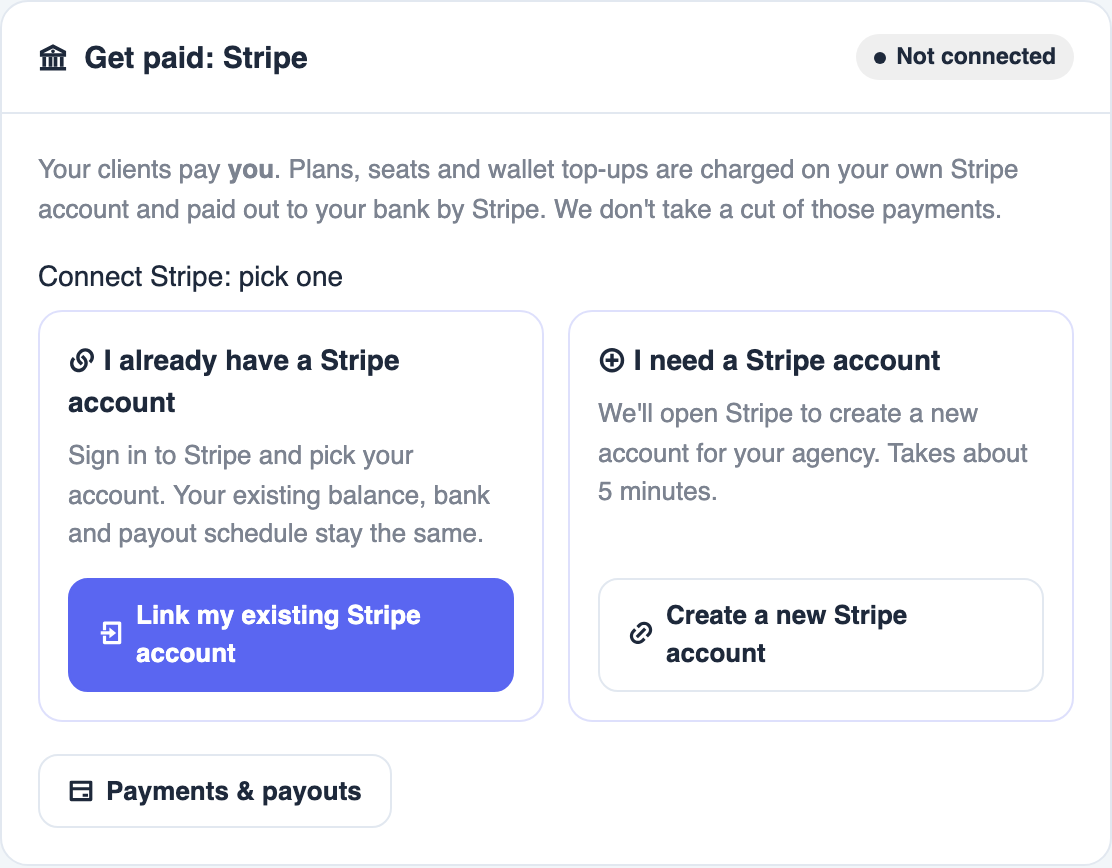
Your clients pay you. Plans, seats, and wallet top-ups are charged on your own Stripe account and paid out to your bank by Stripe.
You can now link the Stripe account you already have. You do not need to make a new one.
Open from Agency Reseller → Agency settings, card Get paid: Stripe. Only the agency owner can connect, replace, or disconnect Stripe.
🤔 Which button do I click?#
| You... | Click |
|---|---|
| Already take payments with Stripe | Link my existing Stripe account |
| Have never used Stripe | Create a new Stripe account |
🔗 Link the Stripe account you already have#
Open Agency settings
Go to Agency Reseller → Agency settings. Find the Get paid: Stripe card.
Click Link my existing Stripe account
It is under I already have a Stripe account. Stripe opens.
Sign in to Stripe
Use the login you already use for Stripe.
Pick your account and connect it
If you have more than one Stripe account, pick the one you want your clients to pay. Click to connect.
Check it worked
You come back to Agency settings. You see Your Stripe account is linked. New client payments go to it.
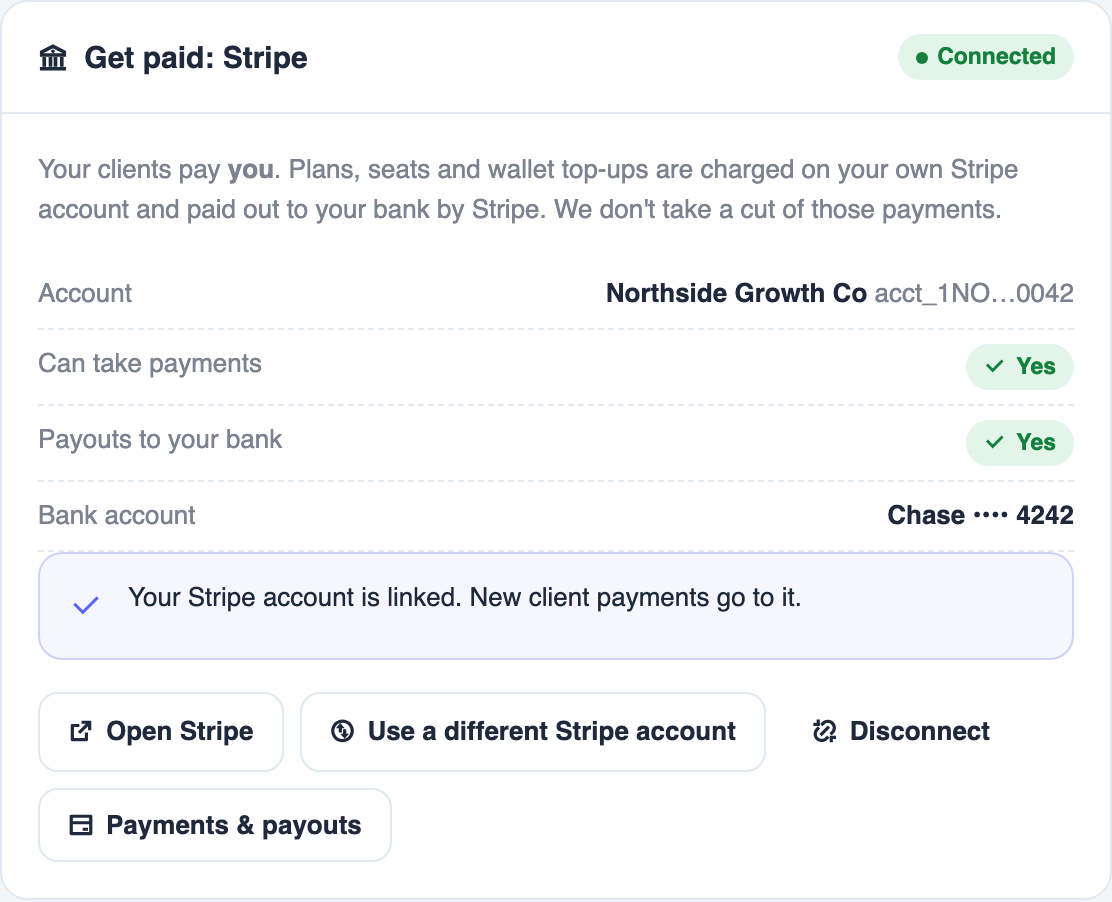
Your business details, bank account, balance, and payout schedule stay exactly as they are in Stripe. You do not re-enter anything.
After linking, everything works the same as before: client charges, wallet top-ups, and payouts to your bank. You can see them on Payments.
Can take payments and Payouts to your bank should both say Yes. If one says Not yet, click Finish in Stripe and complete what Stripe asks.
➕ Create a new Stripe account#
Use this only if you do not have Stripe yet.
Click Create a new Stripe account
It is under I need a Stripe account.
Fill in Stripe's form
Stripe asks for your business details and a bank account. It takes about 5 minutes.
Come back and check
Can take payments and Payouts to your bank should both say Yes.
🔄 Switch to a different Stripe account#
Click Use a different Stripe account
On the Get paid: Stripe card.
Read the warning and confirm
It tells you that all future client charges move to the new account, and how many clients have a saved card on your current account.
Sign in to Stripe and pick the new account
Same as linking above.
Saved cards stay on the old Stripe account. Clients with a saved card will need to add their card again after you switch.
⛔ Disconnect Stripe#
Click Disconnect on the Get paid: Stripe card, then confirm.
Until you connect again, client plans, seats, and wallet top-ups cannot be charged. Clients with a saved card will need to add it again after you reconnect.
❓ Questions and fixes#
Stripe is asking me to re-enter my business info and add a bank#
You clicked Create a new Stripe account. Go back to Agency settings and click Link my existing Stripe account instead.
"That Stripe account is already linked to another agency"#

One Stripe account can only be linked to one agency. Pick a different Stripe account, or contact support.
Stripe says the account is controlled by another platform#
That Stripe account cannot be linked. Click Create a new Stripe account instead.
I don't see the Stripe buttons#
Only the agency owner can connect Stripe. Staff cannot see Agency settings. Ask the owner to sign in.
"Stripe linking was cancelled. Nothing changed."#
You closed Stripe or clicked cancel before finishing. Click Link my existing Stripe account again.
"That link expired or was already used"#
Start again from Agency settings. Finish in the same browser, signed in as the same person who started.
Do you take a cut of my client payments?#
No. Plans, seats, and wallet top-ups go to your Stripe and then to your bank.