

Open from AI → AI Agents → agent Actions → Endpoints.
✨ What you can do
- Copy the agent’s unique POST URL
- Send outbound or inbound calls with the same URL
- Pass contact fields (name, email, and more) with the call
- Copy request examples in PHP, JavaScript, cURL, or Python
📑 What you see on the page
The page has two tabs: Outbound and Inbound. Switching tabs updates the hint, sample body, and response. The URL stays the same.📋 Fields you can send
Same body shape on both tabs. Extra contact fields are passed through so the agent can use them on the call.📤 Outbound
Use Outbound when you want the agent to dial someone.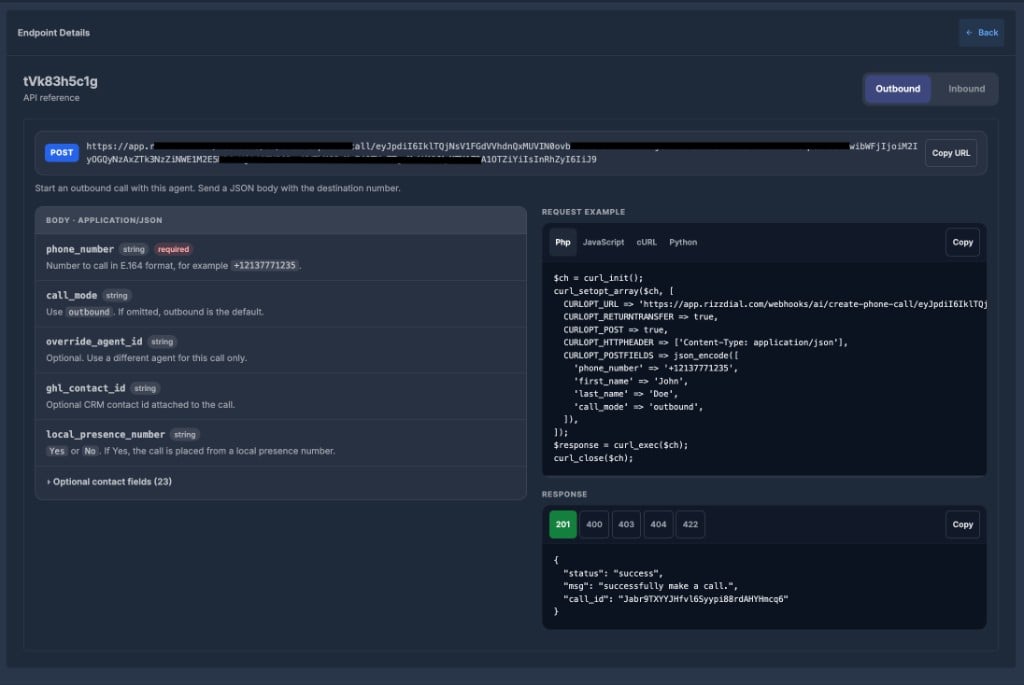
- Open Endpoints and stay on the Outbound tab.
- Copy the URL, or copy a request example in your language.
- Send a POST with JSON.
call_mode out. If it is missing, outbound is used.
Success (201)
dialSip on outbound.
📥 Inbound
Use Inbound when the person already called you (or will be connected by your phone system).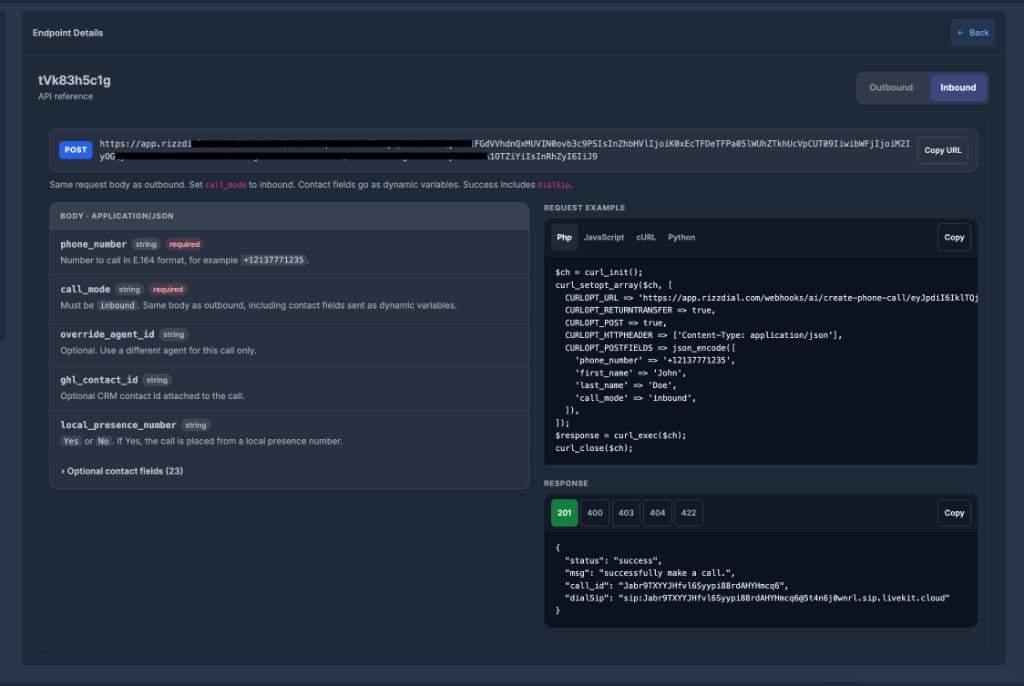
- Open Endpoints and switch to the Inbound tab.
- Copy the URL or the inbound example. The URL is the same — only the body changes.
call_mode must be inbound.
Success (201)
call_id— id of the registered calldialSip— address your phone system uses to connect the live caller to the agent
💻 Request examples
Language tabs on the page:
Copy copies the selected language. Replace the sample number and names before you run it. All examples send JSON with
Content-Type: application/json.
📨 Response codes
✅ Before you send a request
- The agent must be Active
- A phone number must be assigned to the agent
- Your account must have call balance
- Use a real
phone_numberin+(E.164) format
status: error and a short message. Match it to the 403 / 404 / 422 samples on the page.