This tab protects you from breaking telemarketing laws. Everything here controls when, where, and under what rules your AI agent is allowed to make calls.
🕐 Schedule
Define the specific times this agent is permitted to make calls.
🗺️ Calling Region
Select the US states this agent is allowed to contact.
🛡️ Compliance Protections
Choose which compliance safeguards should be enforced automatically.
🕐 Section 1 — Schedule#
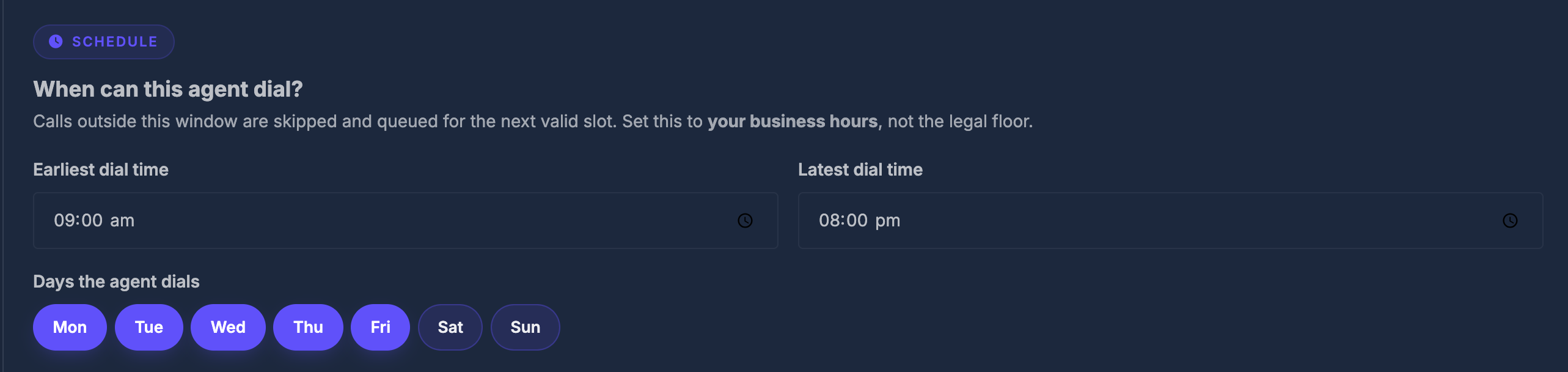
Question it answers: When is this agent allowed to dial?
⏰ Earliest & latest dial time#
Set a start time and end time for the calling window.
- Any call scheduled outside this window is automatically held and queued until the next allowed time slot — it does not get skipped or lost, just delayed.
- Example: Set
09:00to17:00and the agent will only call between 9 AM and 5 PM.
📅 Calling days#
Seven day-chips appear: Mon, Tue, Wed, Thu, Fri, Sat, Sun
- Click a chip to turn that day on (highlighted = active).
- Click again to turn it off.
- The agent will only dial on days that are active.
| Common setup | Days to activate |
|---|---|
| Standard business week | Mon → Fri |
| Including Saturday outreach | Mon → Sat |
| 7-day campaign | All 7 days |
🗺️ Section 2 — Calling region#
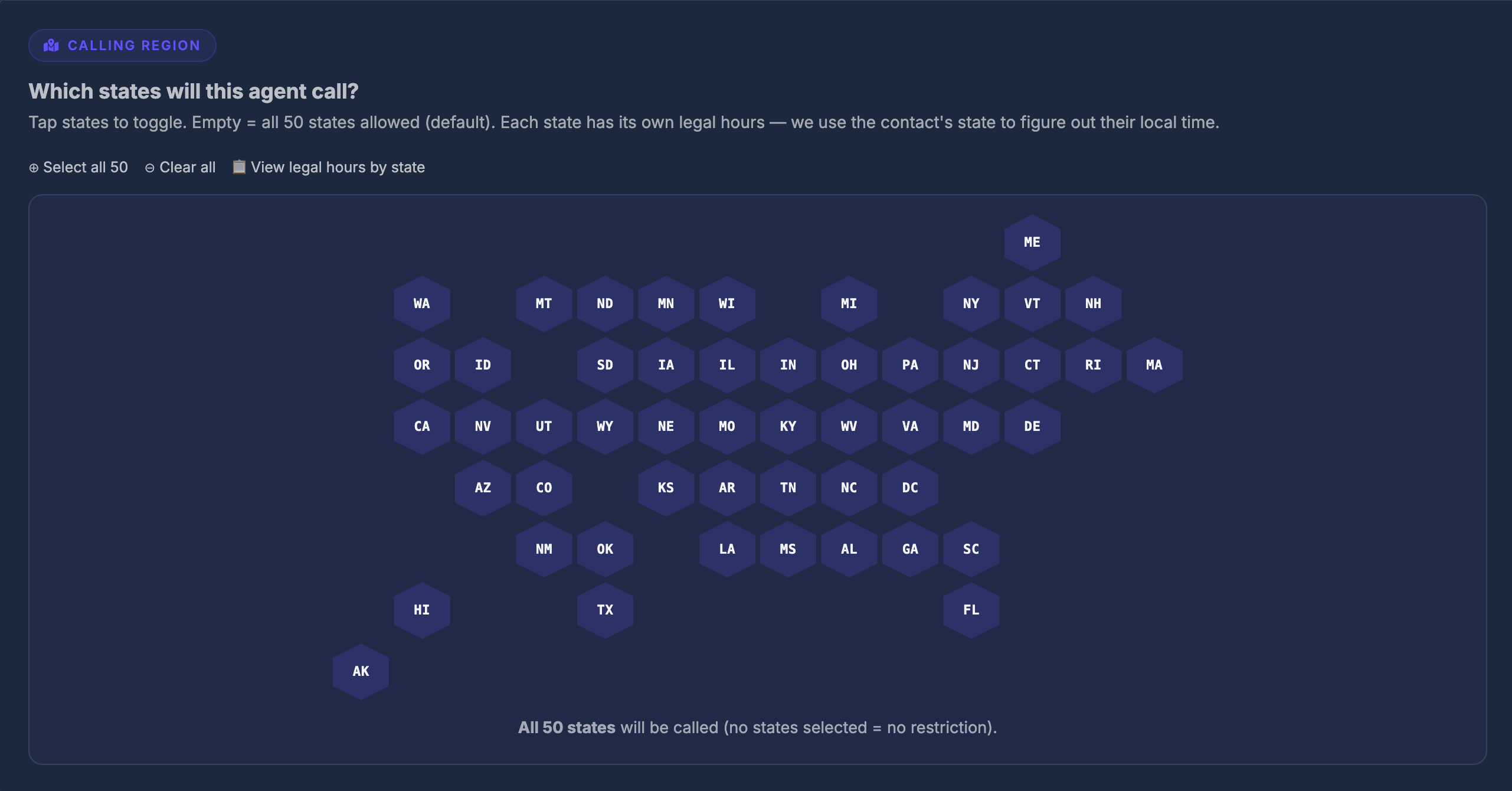
Question it answers: Which US states is this agent allowed to call into?
🌎 The interactive state map#
A hex-grid map of the United States lets you visually select states one by one. Each state is a clickable hexagon.
- Click a state → it highlights (selected / allowed).
- Click again → it deactivates (blocked).
🔗 Quick-action links above the map#
| Link | What it does |
|---|---|
| ⊕ Select all 50 | Activates every state at once |
| ⊖ Clear all | Removes all state selections |
| 📋 View legal hours by state | Opens a reference table (see below) |
✅ No states selected = all states allowed#
If you leave the map completely empty (no states highlighted), the agent treats that as no restriction — it can call all 50 states. Select specific states only if you want to restrict calling to certain regions.
📋 Legal hours reference table#
Click "View legal hours by state" to open a popup table showing every state's legal calling window, for example:
| State | Weekdays | Sunday | Notes |
|---|---|---|---|
| Texas | 9am – 9pm | 12pm – 9pm | Sundays restricted |
| California | 8am – 9pm | 8am – 9pm | Federal floor |
| Florida | 8am – 8pm | 8am – 8pm | Stricter than federal |
This is a reference only. To actually enforce these state-specific rules automatically, you need to turn on the Honor State Legal Hours toggle in Section 3 below.
🛡️ Section 3 — Compliance layer#
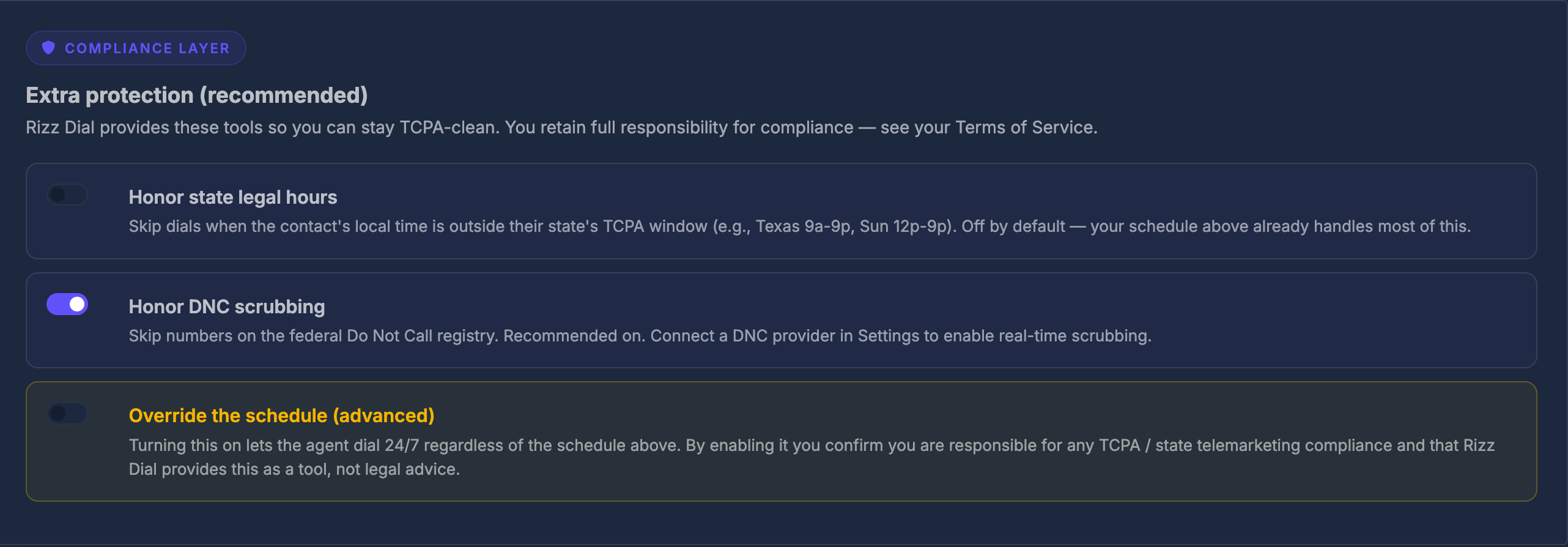
Question it answers: What extra automatic protections should be active?
Three toggles, each controlling a different layer of protection.
⚖️ Toggle 1 — Honor state legal hours#
| OFF (default) | ON | |
|---|---|---|
| What happens | Only your schedule (Section 1) is used | The system also checks the contact's local time in their state before dialing |
Example of why this matters:
Your schedule says 8 AM – 9 PM. A contact lives in Florida where calls must stop at 8 PM. Without this toggle, the agent might call that Florida contact at 8:30 PM your time. With this toggle ON, the system sees it is 8:30 PM in Florida and holds the call until the next allowed window.
Turn this ON if:
- You are calling contacts across multiple US states
- Your contact list spans different time zones
- You want automatic per-state legal protection without managing it manually
🚫 Toggle 2 — Honor DNC scrubbing#
DNC = Do Not Call registry — a federal list of phone numbers that have opted out of receiving telemarketing calls.
| OFF | ON | |
|---|---|---|
| What happens | All numbers are dialed regardless | Numbers on the DNC registry are automatically skipped |
To use real-time DNC scrubbing, you need a DNC provider connected in your account settings. Once connected, every number is checked against the registry before the call is placed.
⚠️ Toggle 3 — Override the schedule#
This is a high-risk setting — read carefully before enabling.
When this is turned ON:
- The agent ignores all time restrictions you set in Section 1
- The agent ignores all state legal hours from Section 2
- The agent can dial 24 hours a day, 7 days a week
- A bright warning banner appears on screen confirming the override is active
By enabling this toggle, you confirm:
- You personally accept full legal responsibility for any compliance issues
- You have the legal authorization to call outside standard hours
- The platform is providing this as a tool, not endorsing the practice
Only use this for:
- Emergency or time-sensitive services with prior express consent
- Situations where you have confirmed written authorization from contacts
- Internal testing environments (never production calling lists)
📢 The override warning banner
When Override is active, a blue information banner appears below the compliance settings:
Override active. The schedule and state legal hours are bypassed for this agent. Logged on the agent record.
This banner is a reminder — it does not go away until you turn the override off.
💾 Saving your settings#
Click the Save compliance settings button at the bottom.
- A success message confirms the save:
✓ Saved - Changes take effect on the next call placed by the agent