GHL Pipeline Sync keeps sales boards in step between this workspace and a connected LeadConnector (GoHighLevel) location.
There are two directions. They are not the same button.
| You want this | Use this |
|---|---|
| Boards already exist in LeadConnector — bring them here | Settings → Sync Pipeline |
| You are building the board here — also create it there | Pipeline → Add Pipeline → pick a GHL Location |
Saving a linked pipeline (name, stages, order) also updates that board in LeadConnector. You do not click Sync Pipeline for that.
Connect the location before either path. Pipeline only places contacts into stages; it does not create contacts. See Pipeline for the board itself.
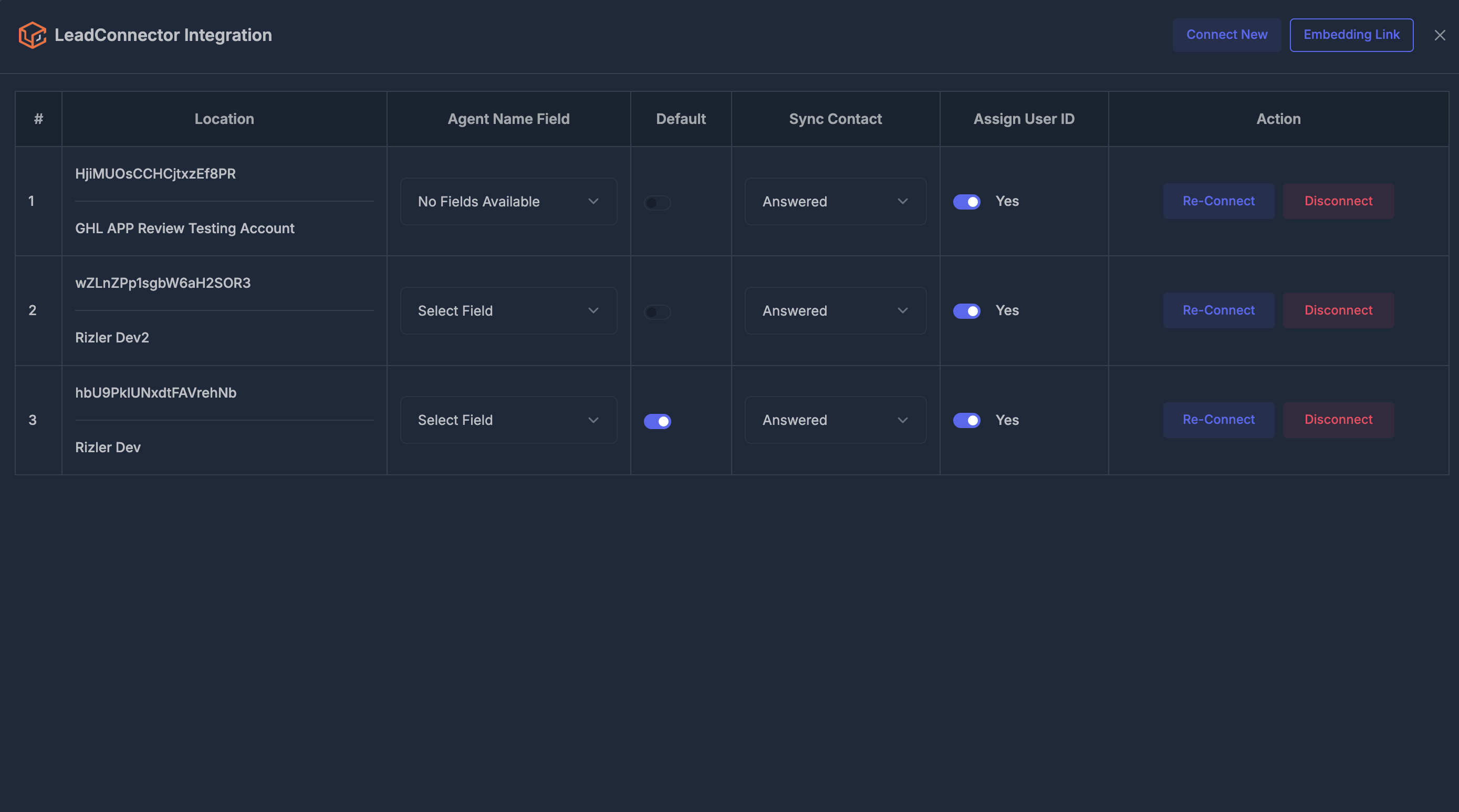
🔌 Connect the location first#
- Open Settings → Integration → LeadConnector
- Click Connect New (or Re-Connect on a row that already exists)
- Sign in and pick the location (sub-account) where those pipelines live
- Approve every permission you are asked for — pipeline access is included there
Each connected location has its own pipelines. Syncing or creating against Location A never changes Location B.
If a location shows Reconnect GoHighLevel — pipelines need permission, that connection was made before pipeline access was requested. Re-Connect that row and approve the extra permission. Until you do, Sync Pipeline and “create with a GHL Location” can fail even though the location still looks connected.
🔄 Sync Pipeline (LeadConnector → this workspace)#
Use this when the boards already live in LeadConnector and you want the same boards here.
- Settings → Integration → LeadConnector
- Find that location’s row
- Click Sync Pipeline
- Wait until the success message appears
The message reports how many boards were new, how many were linked, and how many stages were matched.
| Result | Meaning |
|---|---|
| New | That LeadConnector board did not exist here — created with its stages |
| Linked | A board with the same name was already here and not linked — connected, not duplicated |
| Stages | Stages created or matched (same name, or already linked) |
What this sync does
- Pulls every pipeline and stage from that one location
- Names and stage order follow LeadConnector on each sync
- Does not create deals for every contact already on your board
- Does not import another location’s pipelines
Click Sync Pipeline again later if someone added or renamed boards in LeadConnector and you want those changes here.
➕ Create here, sync there (this workspace → LeadConnector)#
No Sync Pipeline click. Saving is the push.
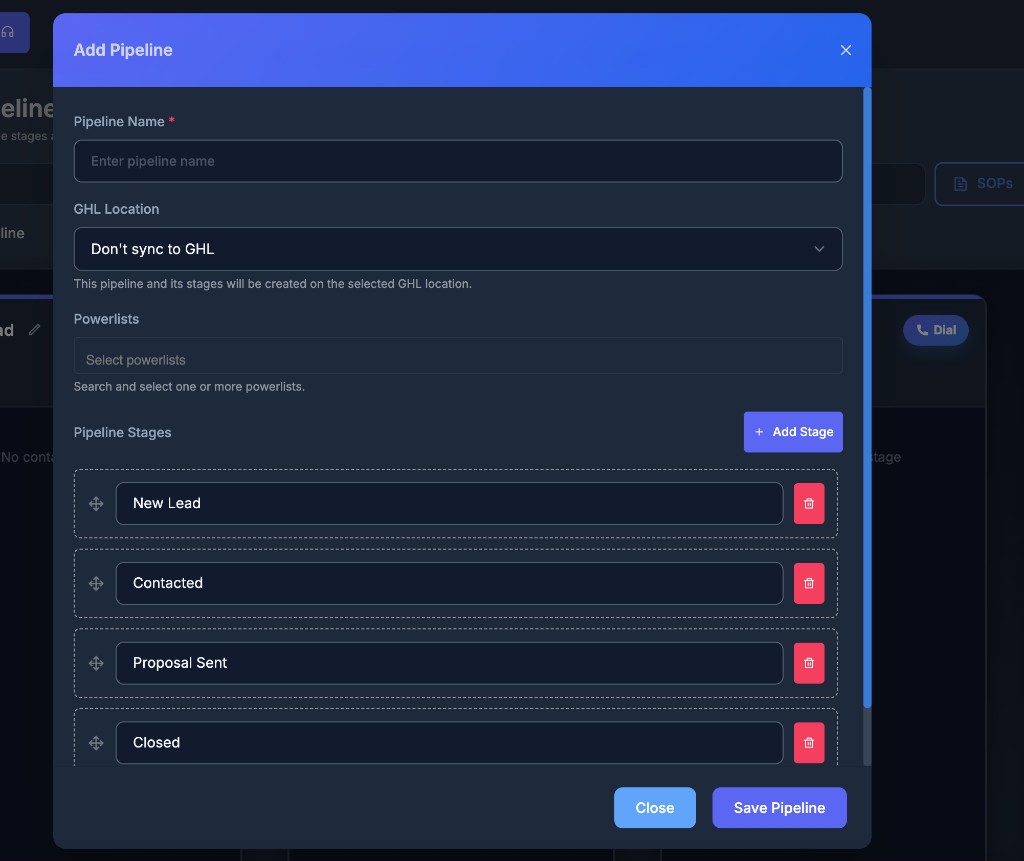
- Open Pipeline → Manage → Add Pipeline
- Enter a Pipeline Name
- GHL Location
- Don’t sync to GHL — this workspace only
- A location name — this board and its stages are created on that location when you save
- Add or reorder Pipeline Stages (you need at least one named stage)
- Click Save Pipeline
After a successful save with a location selected, LeadConnector has a matching board. This workspace stores the link so later edits go to the same board, not a second copy.
If you leave Don’t sync to GHL, nothing is created in LeadConnector.
The board is saved here first. If LeadConnector is down or the location still needs Re-Connect, your pipeline can still exist in this workspace and simply not appear over there yet. Fix the connection, then edit and save the pipeline (or use Sync Pipeline if the board already exists in LeadConnector).
✏️ Edit a linked pipeline (stages add, remove, rename, reorder)#
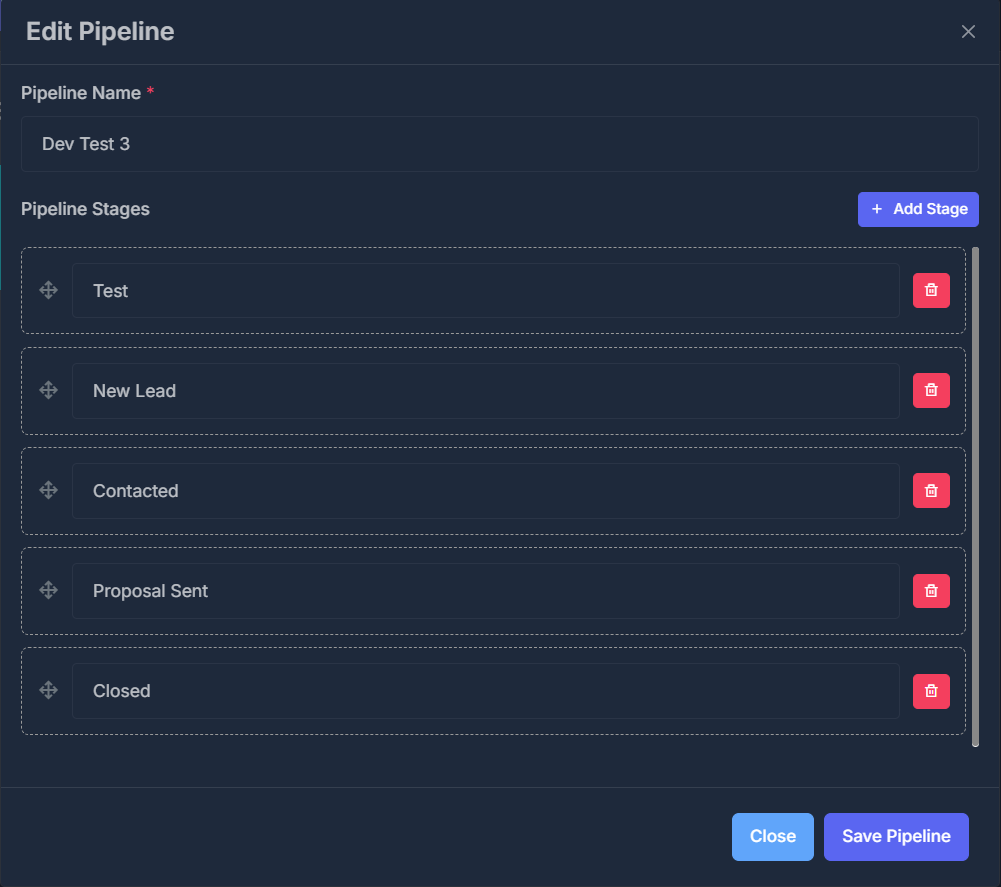
- Manage → pencil on the row
- Change the name and stages
- Save Pipeline
Saving a linked pipeline updates that same board in LeadConnector.
🔒 Location when editing
| Situation | What you can do |
|---|---|
| Not linked yet | Pick a location (creates the board there) or leave Don’t sync to GHL |
| Already linked | Location is locked — cannot be changed |
Stages — what happens on both sides after Save
| You do this here | LeadConnector |
|---|---|
| Add Stage | A new stage is created on that board |
| Rename a stage in the form | That stage is renamed |
| Drag stages to a new order | Stage order is updated |
| Trash a stage (not the last one) | That stage is removed there too |
| Rename from the board pencil on the column | Name updates there too |
Changes in the form are not sent until you click Save Pipeline. Removing a stage in the form and closing without save leaves it as it was.
Removing a stage on a linked board also removes it in LeadConnector. Deals sitting on that stage over there can be affected. Confirm before you save.
🗑️ Delete a linked pipeline#
- Manage → trash
- Confirm Are you sure you want to delete this pipeline?
| Pipeline | What is deleted |
|---|---|
| Linked to a location | This board and the matching LeadConnector board (including deals on it) |
| Don’t sync to GHL | This workspace only |
📇 Contacts and deals#
Moving a contact on your board does not always create a deal in LeadConnector.
| Contact | When you change their stage |
|---|---|
| Linked to LeadConnector (came from there, or contact sync) | A deal is created or moved to the matching stage |
| Not linked | They still move on your board; no deal is created over there |
Sync Pipeline alone does not turn everyone already on the board into deals.
❓ If something does not match#
| You see this | What to try |
|---|---|
| Yellow pipelines need permission on the location | Re-Connect and approve every permission |
| Sync Pipeline fails | Re-Connect, then sync that location again |
| Created here, missing in LeadConnector | Confirm you picked a location (not Don’t sync), then edit and Save again |
| Duplicate boards | Sync links by name when a local board is not linked yet. Avoid creating the same name on both sides first; sync or create with a location, not both |
| Wrong location’s pipelines | Each location is separate — filter Location on the Pipeline page, or sync the other location |
| Stage added here, missing there | Confirm you clicked Save Pipeline, and that this board is linked (location locked on edit) |
Day-to-day board use (cards, Dial, filters) is on Pipeline. Connecting LeadConnector itself is on Integrations.