

- replies within seconds, any time of day;
- answers questions using only what you taught it (your website, services, prices, FAQs);
- offers real open times from your calendar and books them;
- saves what it learns (name, email) and tags the contact;
- follows up when a lead goes quiet, only between 8am and 9pm their time;
- hands off to your team the moment a person is needed, and steps back as soon as a teammate replies.
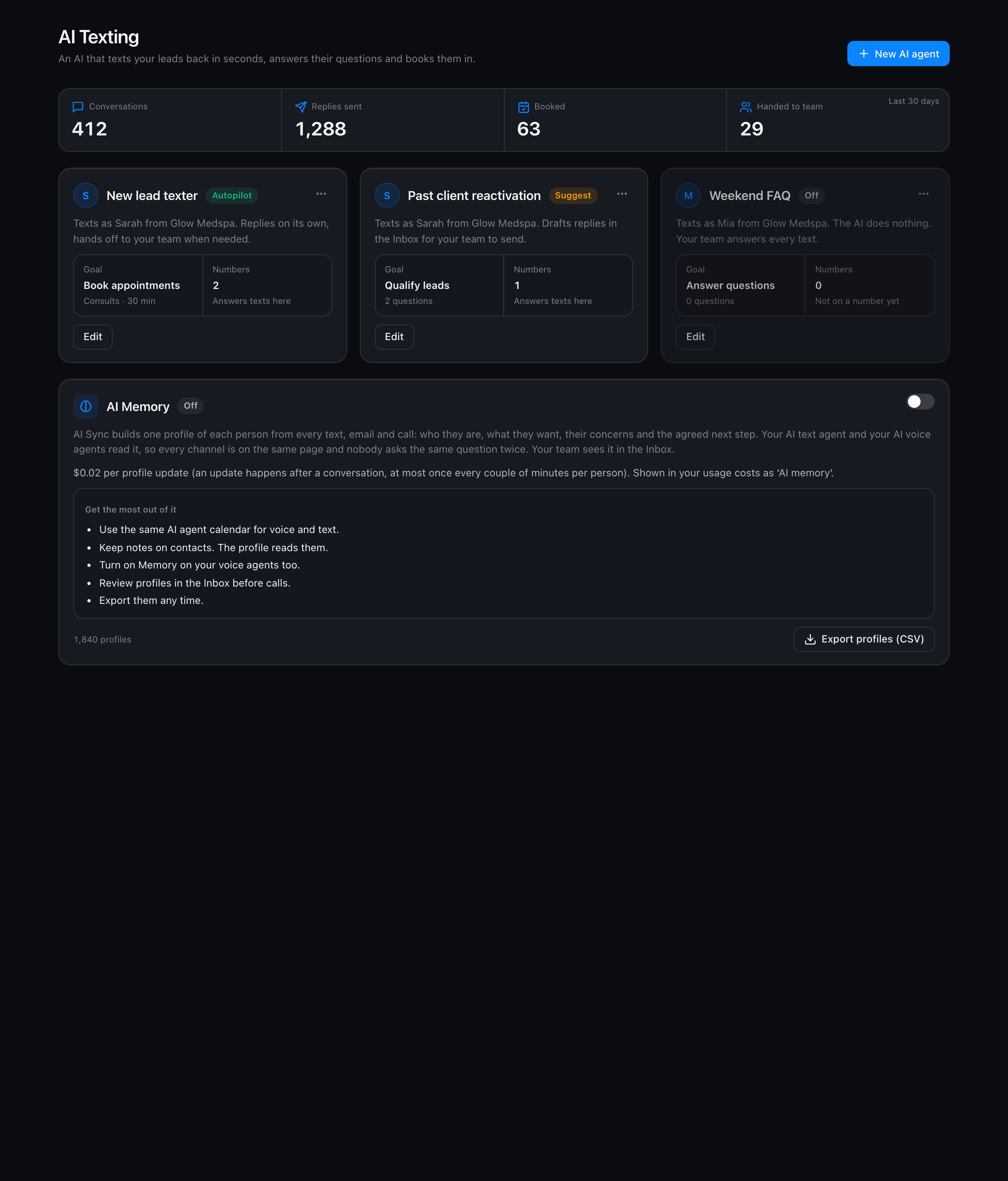
Three modes
Set it up
Click New AI agent. Setup takes six short steps, and nothing goes live until you choose a mode and save.1
Basics
Name the agent (only your team sees this), the name the AI texts as (for example Sarah), and your business name.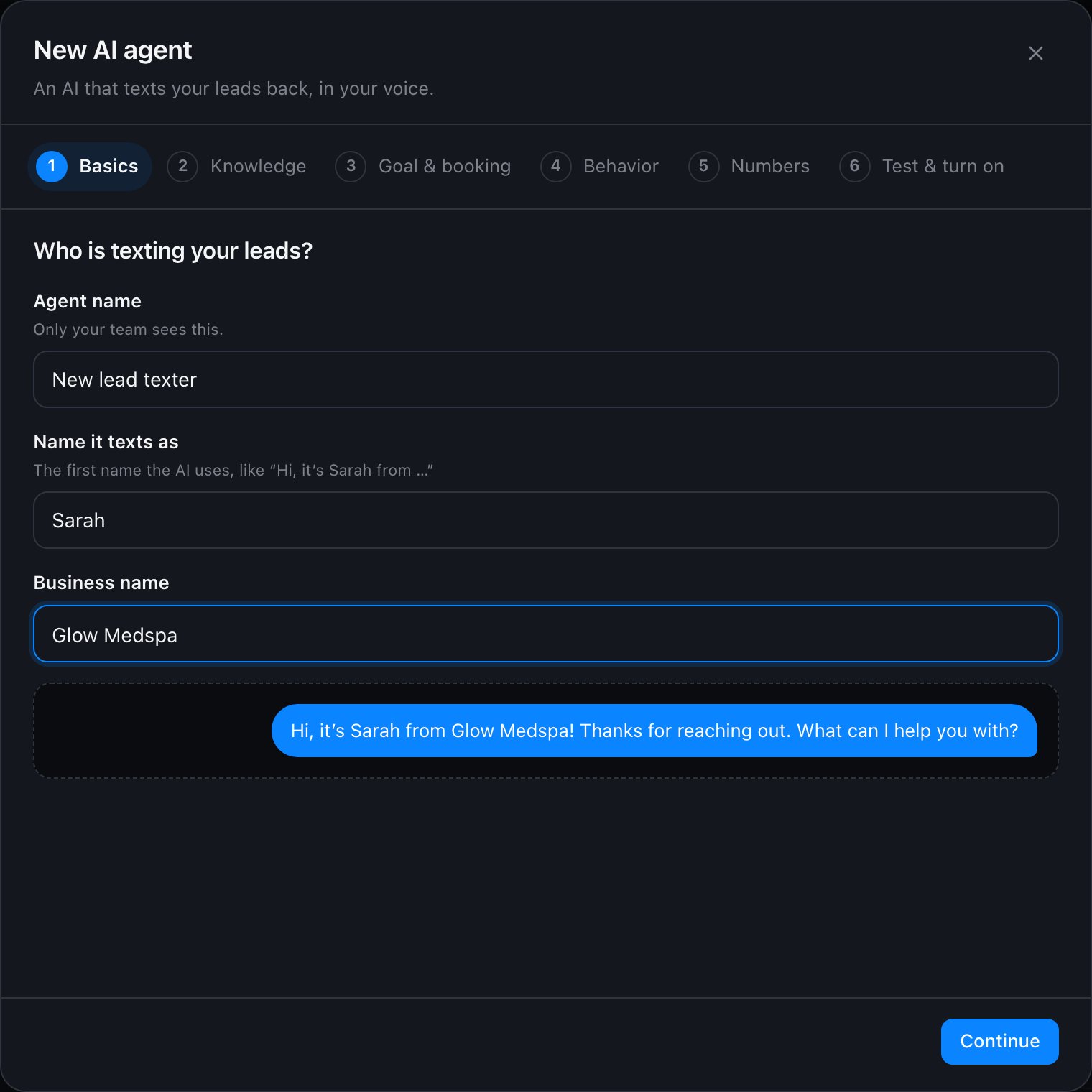
2
Knowledge
Click Learn from my website and paste your website address. AI Sync reads the page and fills in About the business, Knowledge and FAQs for you to review. Edit anything that is wrong, then continue.Put everything the AI may say in Knowledge: services, prices, hours, location, policies. The AI never makes up facts or prices. If something is not here, it says it will check with the team and hands off.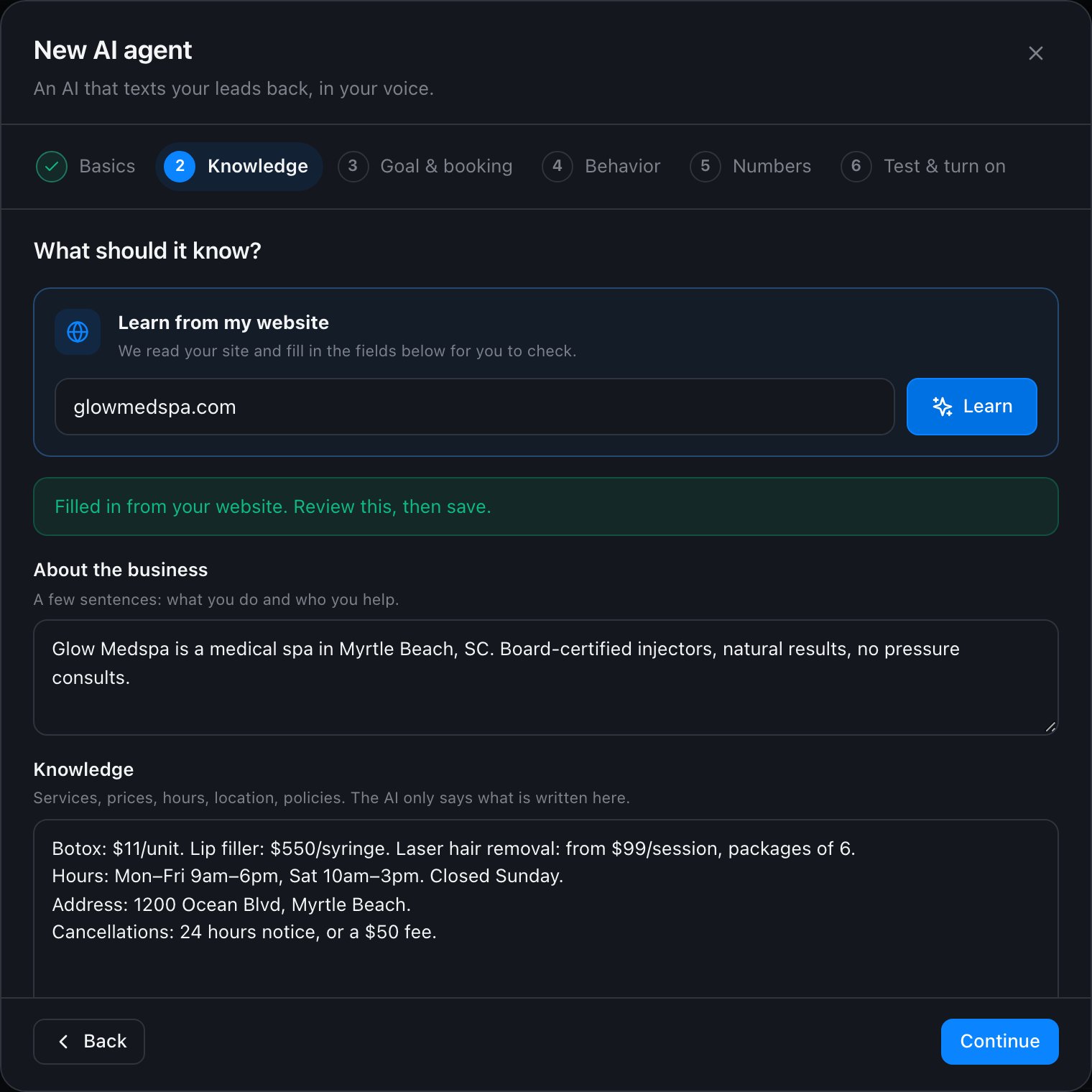
3
Goal & booking
Pick the goal: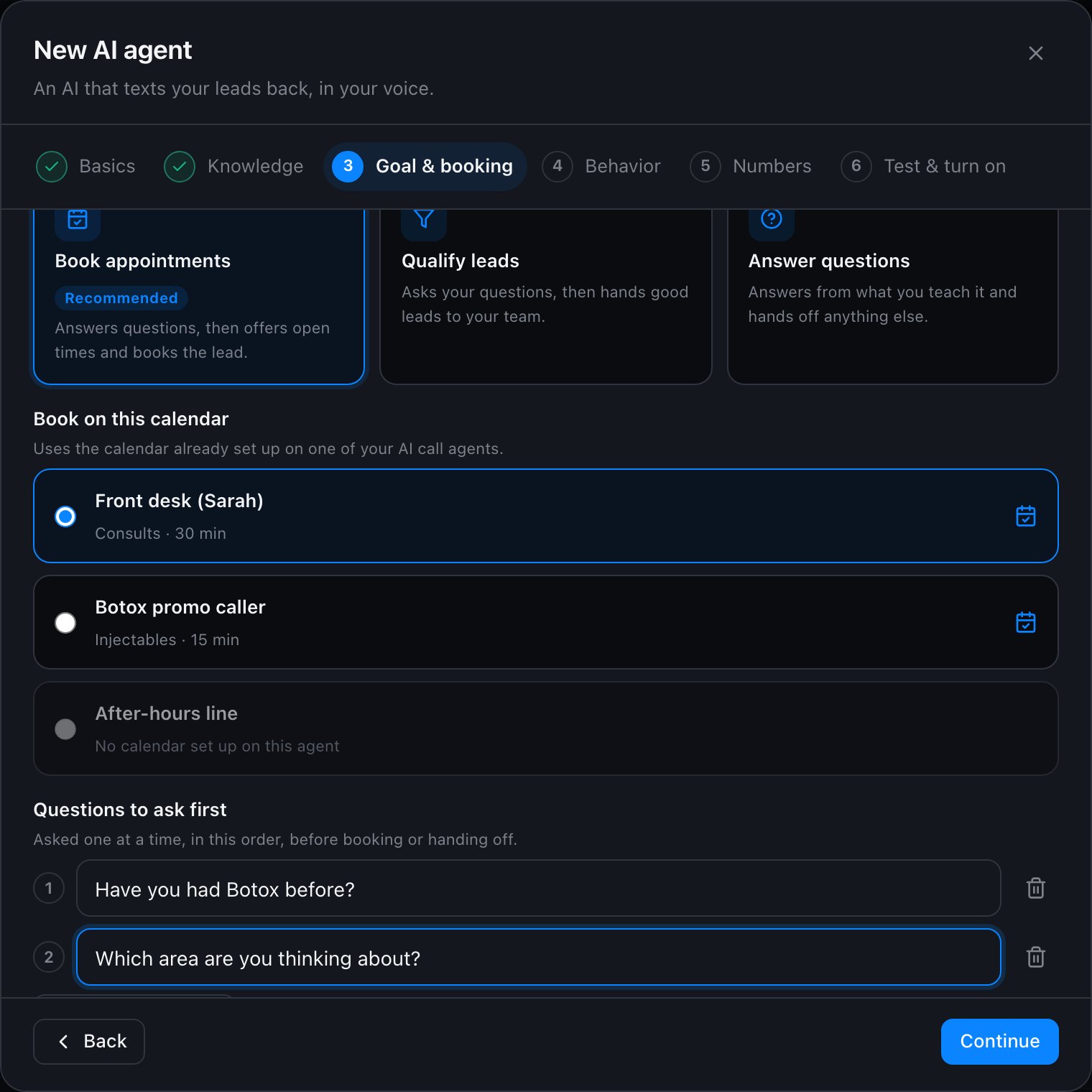
- Book appointments: the AI qualifies lightly, then offers real times.
- Qualify leads: the AI asks your questions, then hands off with a summary.
- Answer questions: the AI helps and hands off what it cannot answer.
4
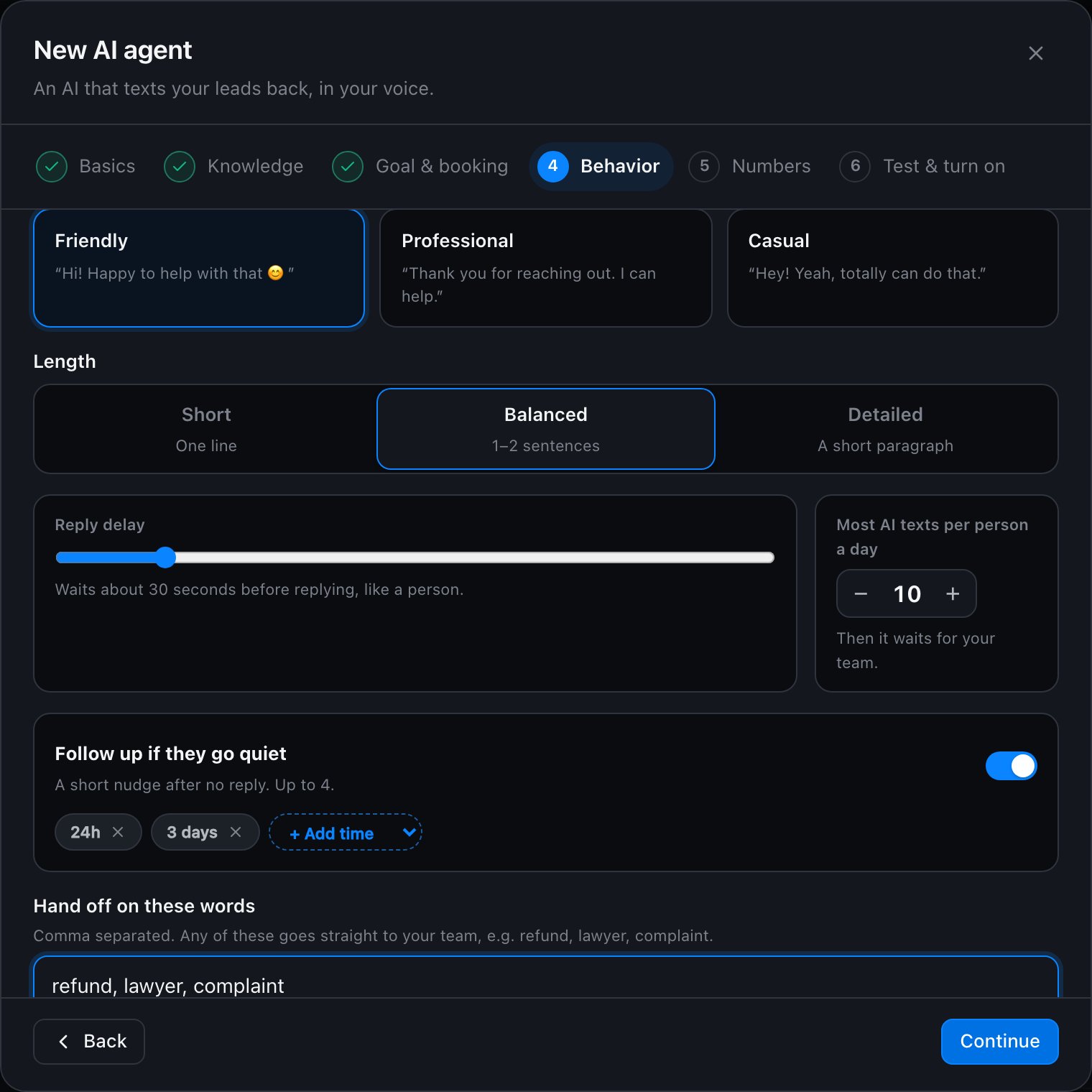
Behavior
- Tone and length.
- Reply delay: how long it waits before replying, like a person typing.
- Max AI texts per person per day.
- Follow-ups: when to nudge someone who went quiet (for example after 24 hours and 3 days). Follow-ups only go out between 8am and 9pm their time.
- Hand-off words: words that always bring in a person, for example refund, lawyer, complaint.
-
Extra instructions: anything else, in plain English.
5
Numbers
Tick the numbers this agent answers. Each number belongs to one agent. A number must be registered for texting (10DLC) before the AI can use it.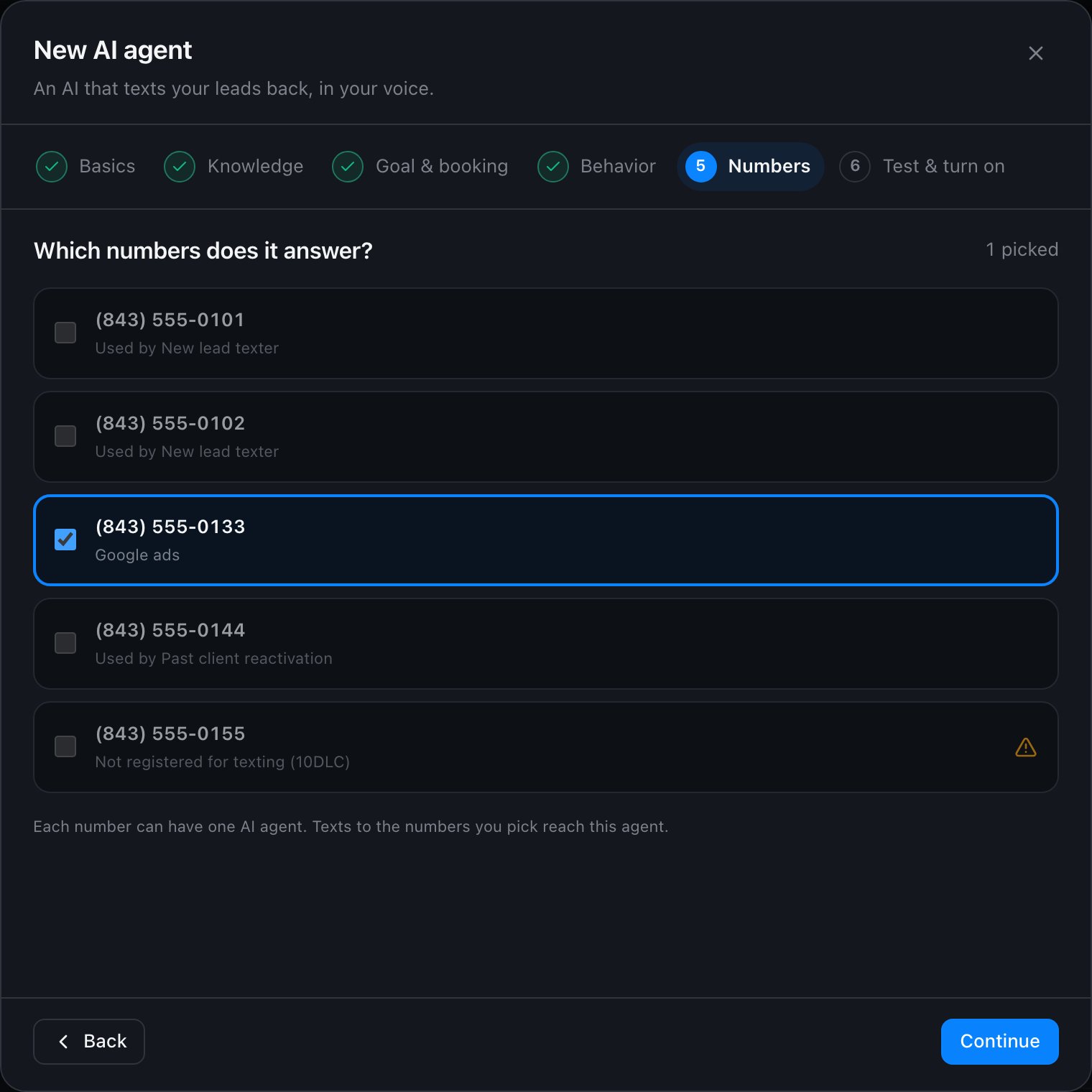
6
Test & turn on
Chat with your agent as if you were a lead. Under each reply, Why shows its reason and what it did, for example Checked the calendar: 6 open times. Test chats never text anyone or book anything.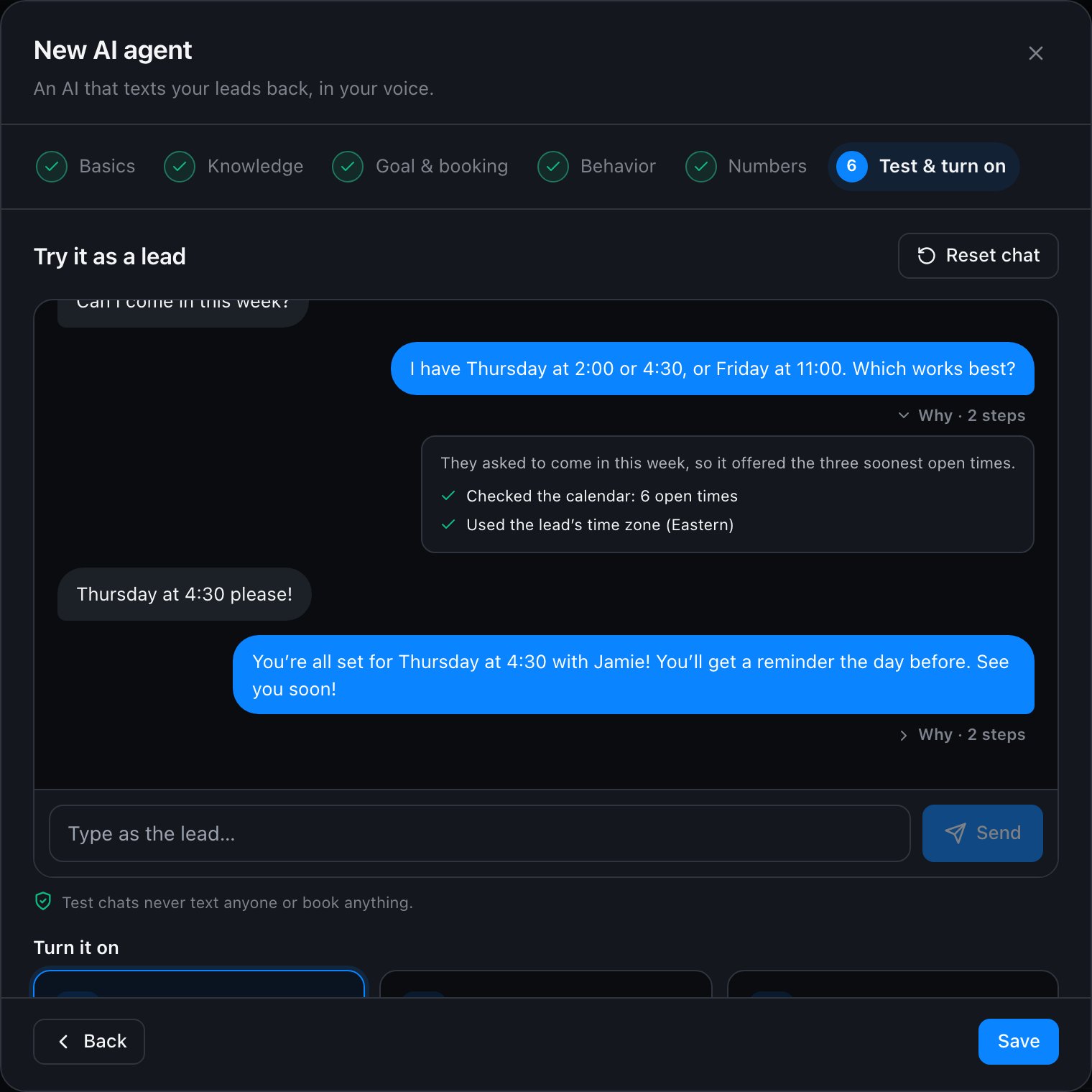
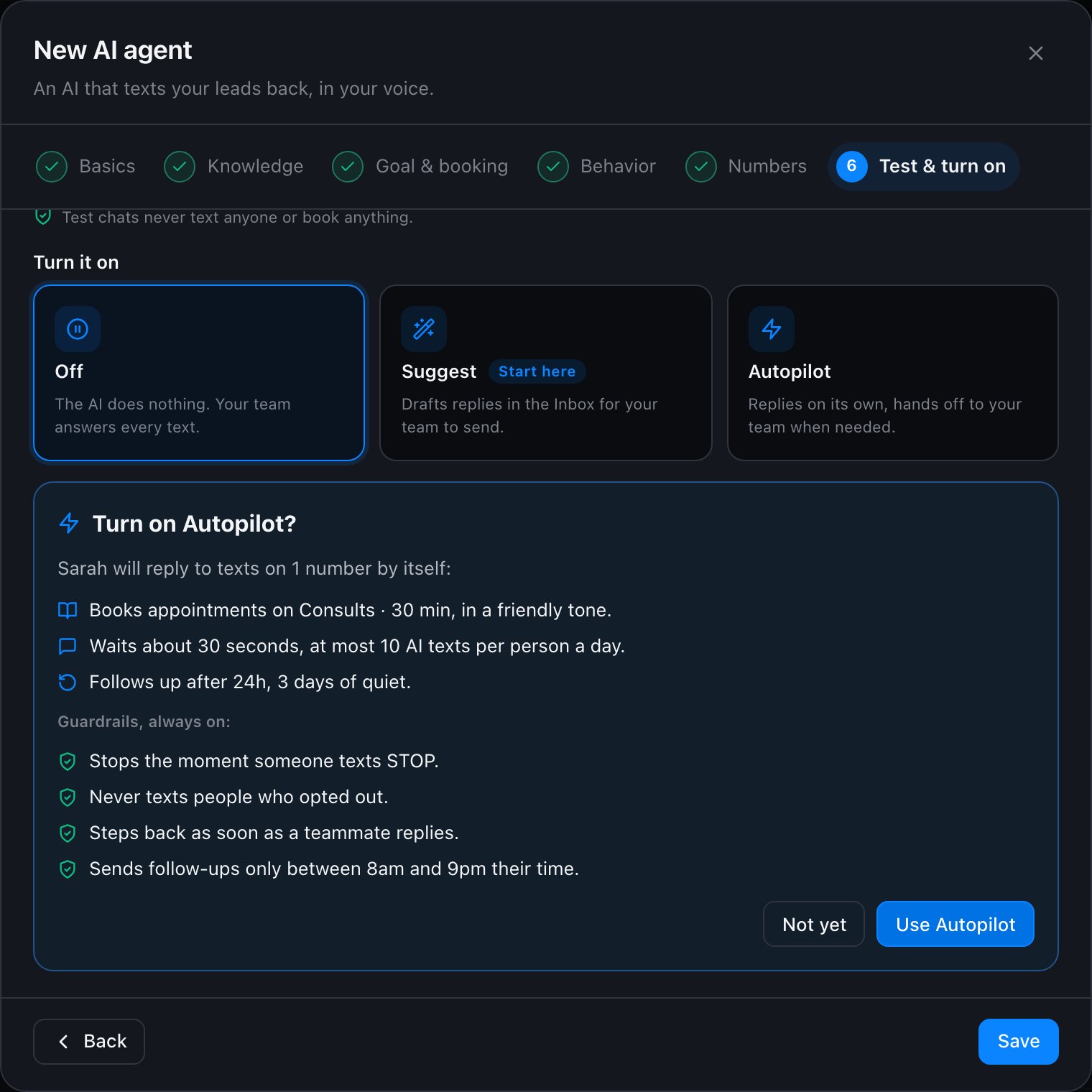
Guardrails (always on)
- Never answers a STOP text, and never texts anyone who opted out of texts.
- Steps back the moment a teammate texts the lead by hand, and shows AI paused in the Inbox. Click Let AI continue to hand it back.
- Only offers times your calendar actually has open, and books only after the lead agrees to one.
- Never invents prices, discounts, policies or promises.
- Tells the truth if asked whether it is an AI.
- Never asks for card numbers, passwords or social security numbers.
- Follow-ups only between 8am and 9pm in the lead’s time zone, and never more than your daily limit.
- Each incoming text gets at most one reply; a burst of texts gets one reply to the latest.
In the Inbox
- A purple bar shows Sarah (AI) is handling this conversation, with Pause AI.
- Texts the AI sent carry an AI tag. Hover it to see why it sent that text.
- When the AI hands off, the conversation goes back to Unread and a note explains what the lead needs.
- ✨ Suggest a reply drafts the next text for you from the whole history, including calls and emails.
Get the best results
- Teach it well. Most mistakes come from missing knowledge. Add your real prices, hours and policies, and the 10 questions leads ask most.
- Use the same calendar as your voice agent. Leads can book by call or text and land on one calendar.
- Turn on AI Memory. Every agent then knows what was said on calls, texts and emails, and nobody asks the same question twice.
- Test five real conversations before Autopilot: a price question, a booking, an angry lead, “are you a bot?”, and someone who says STOP.
- Watch the Why. If a reply is off, read its Why and fix the knowledge or instructions.
Costs
Each AI text the agent sends, and each Suggest a reply draft, is billed as AI text reply in your usage costs. Test chats are free.If you also use GoHighLevel’s own Conversation AI on the same number, turn it off there, or both will reply.