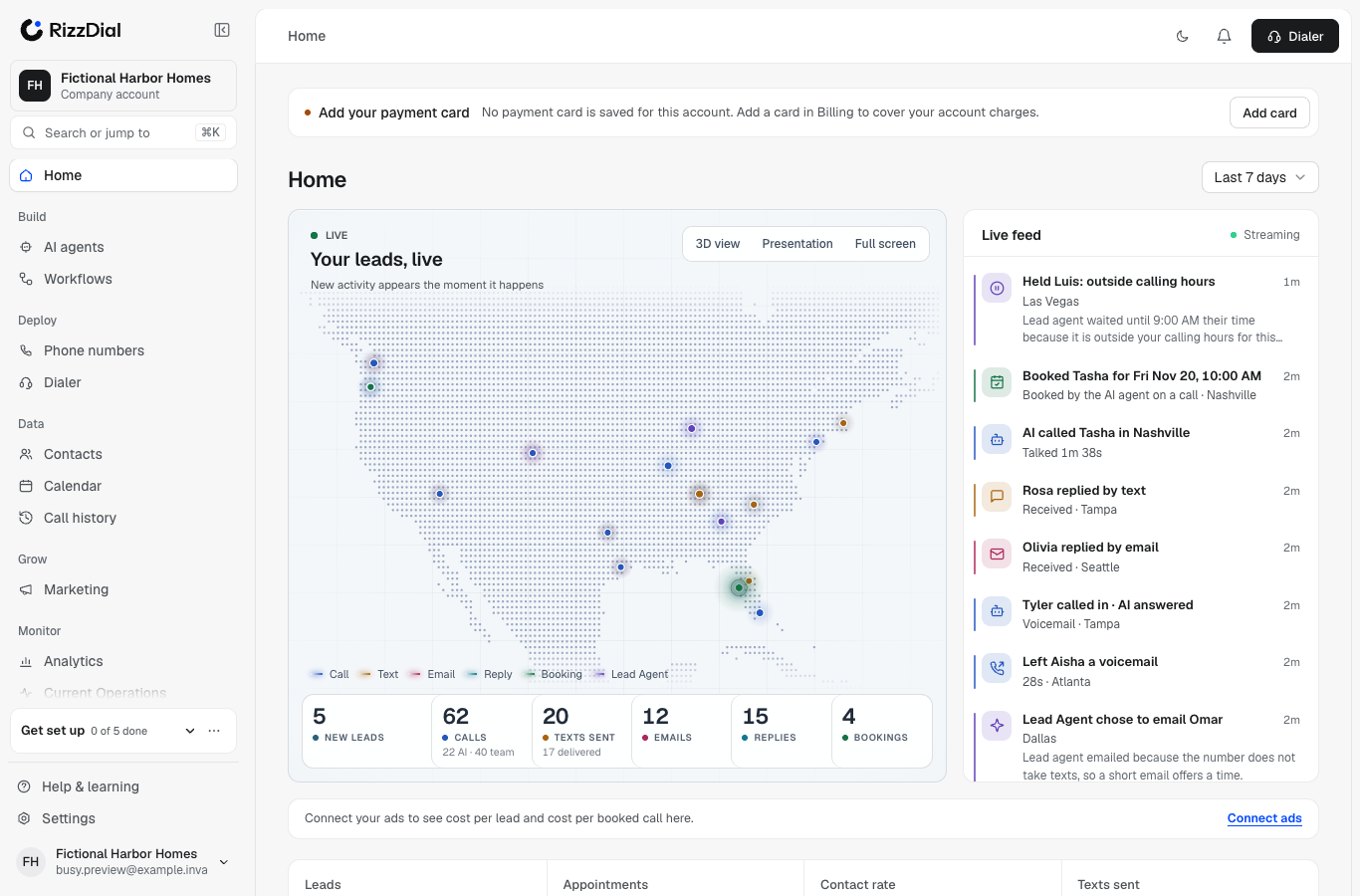
The top of your Home page is a live view of your leads being worked. New activity shows up the moment it happens: no refresh.
What you see#
- The map: where today's leads are, with a glow for each call, text, email, reply and booking.
- Today's numbers: new leads, calls (AI and team), texts sent and delivered, emails, replies and bookings. Click any number to open that list.
- Live feed: every touch, newest first. Click one to see that lead's recent history, then open the full contact.
- Ads today: spend, cost per lead and cost per booking, with each ad network's logo and spend.
The numbers count today in your account's time zone, and match your Analytics page. Alerts sent to your own team (for example a "new booking" email to yourself) are left out, so the numbers only count leads.
The buttons#
- 3D view: turns the map into a globe.
- Presentation: full screen with first names and cities only, for sharing your screen on a call.
- Full screen: the same view, larger, with everything shown.
For agencies: every client at once#
If you run an agency, the live view shows all your clients together, and each line in the feed says which client it belongs to.
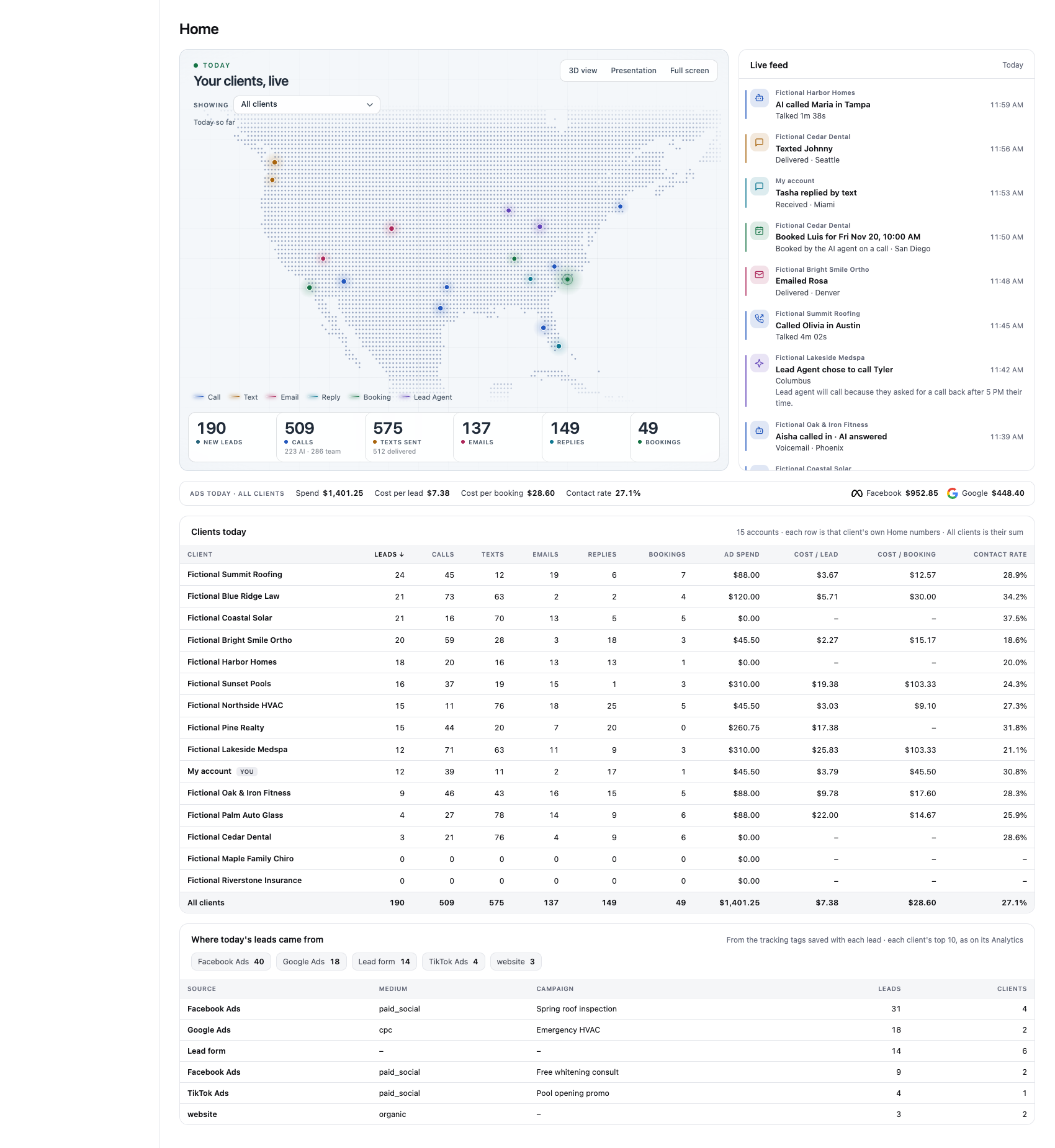
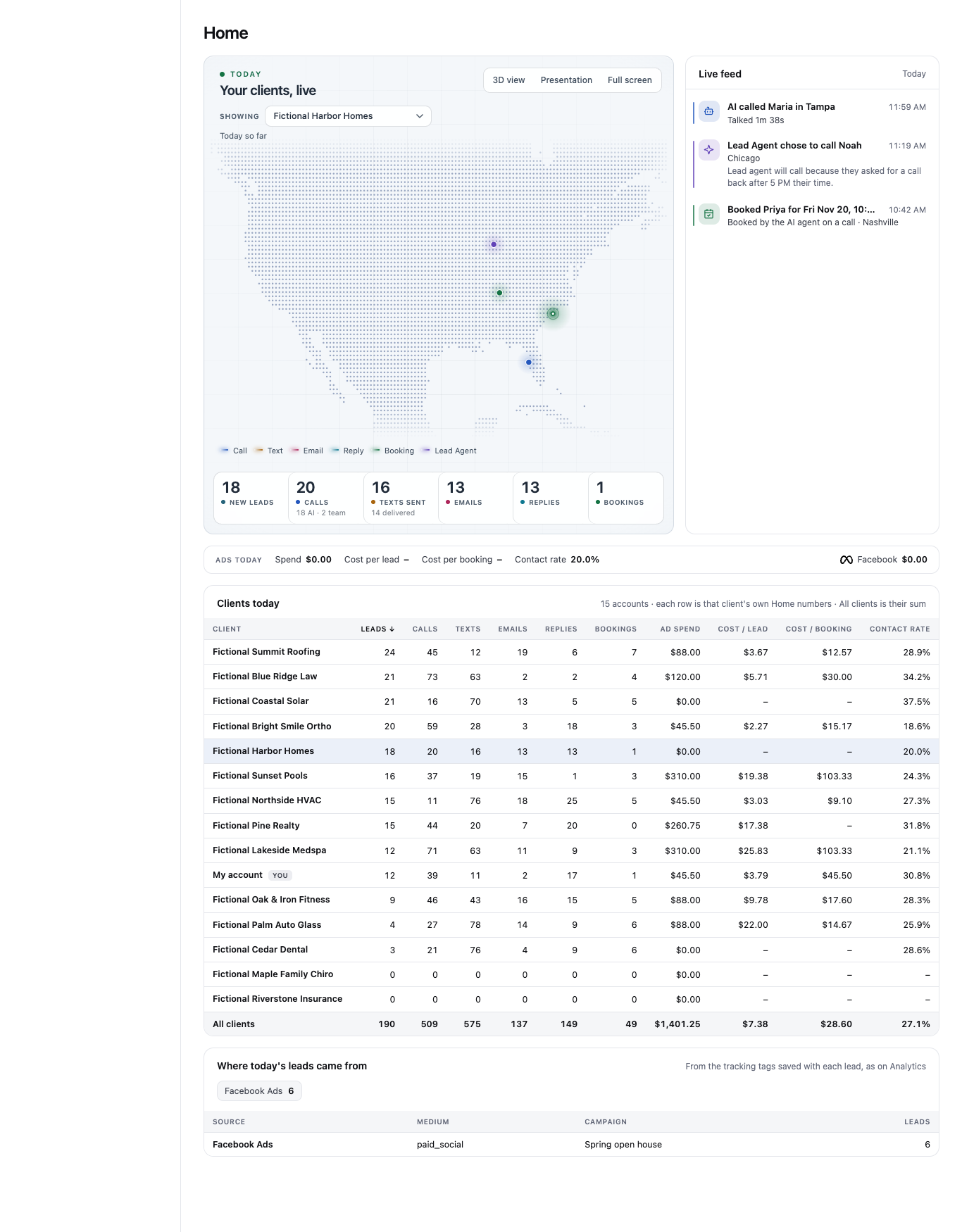
- Showing: pick All clients, My account, or one client. Your choice is remembered next time.
- Clients today: one row per client with leads, calls, texts, emails, replies, bookings, ad spend, cost per lead, cost per booking and contact rate. The All clients row is the exact sum. Click a client's name to open their account.
- Where today's leads came from: leads by channel (Facebook, Google, lead form and so on), then by campaign, from the tracking tags saved with each lead.
Good to know#
- Contact rate is calls that reached a person divided by all outbound calls, AI and team together.
- Facebook and website leads carry campaign details. Google, TikTok, LinkedIn and Snapchat leads show under the network's name for now.
- Nothing here changes your settings. It only shows what's happening.