🤖 Edit/Manage Agent
The Agent Management interface allows you to view, organize, and configure your AI agents. You can access agent management features from the main agents dashboard.
⚡ Available Actions#
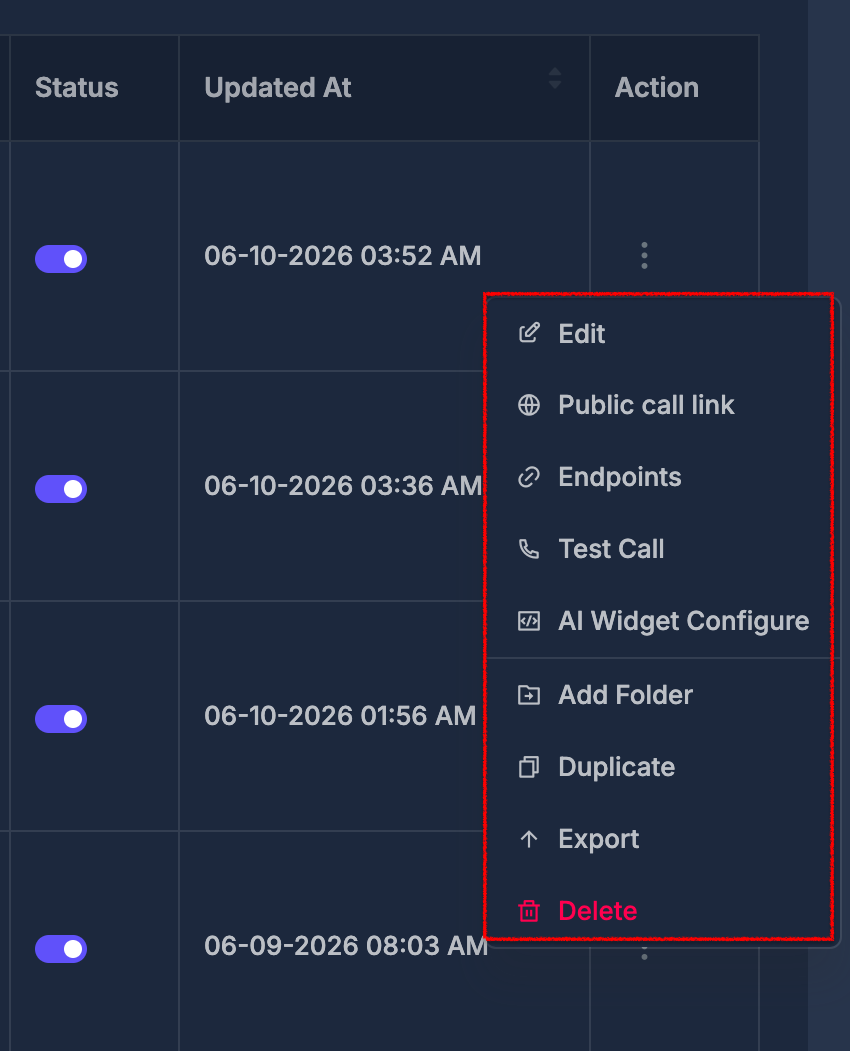
Each agent row provides a dropdown menu click the Edit
- Edit: Modify agent configuration and settings
Choose and preview a voice#
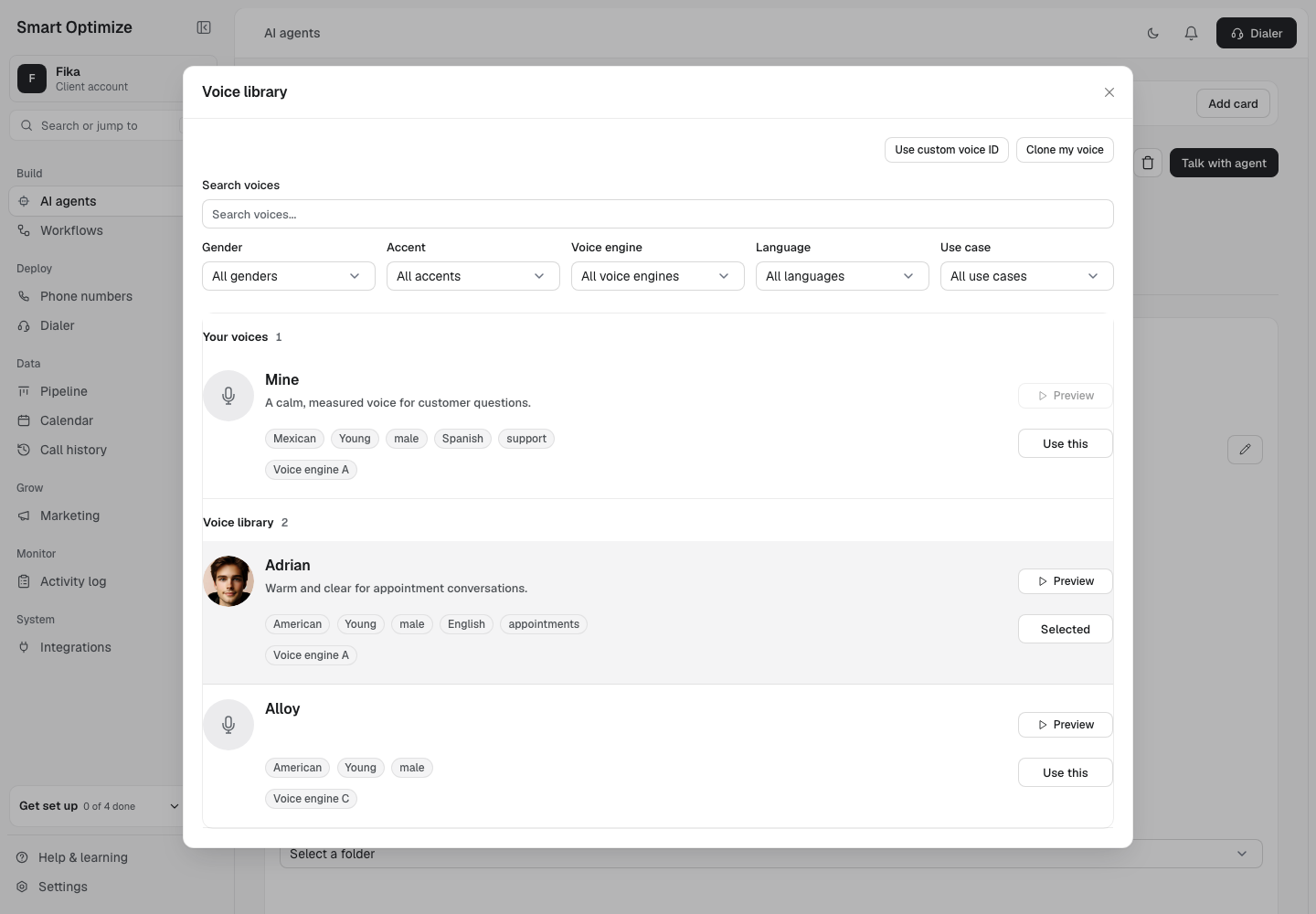
Open a V3 voice agent for editing and select its current voice to open the Voice library. Search by voice name or use the Language and Use case filters to narrow the list. A voice shows its portrait and description when those details are available.
Select Preview to hear a sample. Select Pause to stop playback. Use Use this to choose a voice. This follows the editor’s usual save flow.